
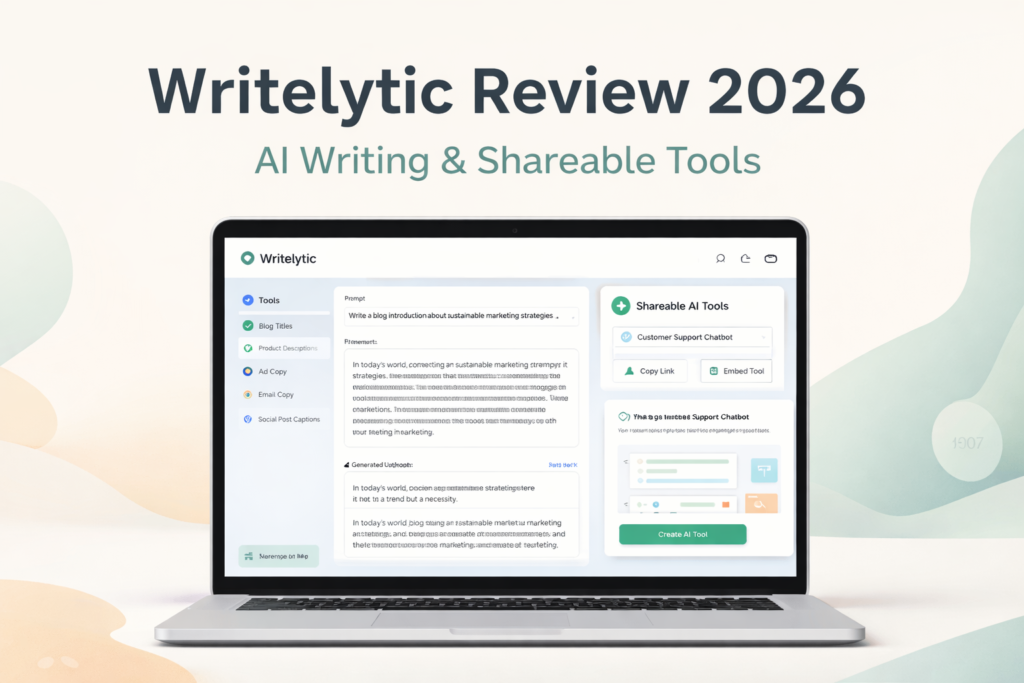
If you are looking for an AI writing tool that does more than just generate text, Writelytic is one of the more interesting platforms to consider right now. A lot of AI writing tools promise faster content creation, better copy, and easier brainstorming. Writelytic does that too, but it also adds something more practical for business users: the ability to create and share no-code AI tools.
That extra layer is what makes Writelytic stand out. Instead of using AI only for one-off writing tasks, users can turn prompts and workflows into reusable tools for clients, teams, or audiences. For freelancers, agencies, marketers, and small businesses, that can be much more valuable than a standard AI writer.
In this Writelytic review, I will break down what the platform does well, where it falls short, how pricing works, and who should seriously consider it. If you are trying to decide whether Writelytic is worth your money, this review will help you make that call faster.
Quick Verdict
| Category | Verdict |
|---|---|
| Product Type | AI writing tool + no-code shareable AI tool platform |
| Best For | Freelancers, agencies, marketers, and small businesses |
| Main Strength | Combines AI content generation with reusable shareable tools |
| Main Weakness | Some advanced branding options cost extra |
| Starting Price | $29/month or $24/month billed yearly |
| Overall Verdict | Worth testing if you want more than a basic AI writer |
What Is Writelytic?
Writelytic is an AI-powered platform built for content creation, prompt improvement, and no-code AI tool sharing. At a simple level, it helps users create content such as blog titles, product descriptions, ad copy, email copy, and social media text. At a more advanced level, it also lets users build AI tools that can be shared by link and, in some cases, embedded into websites.
That means Writelytic sits somewhere between a traditional AI copywriter and a lightweight AI workflow platform. It is not just trying to help you write faster. It is trying to help you package AI into something reusable.
For example, a freelancer could use it to speed up copywriting work. A marketer could use it to create repeatable content workflows. An agency could use it to build client-facing AI tools under a more customized setup. This broader use case is one of the biggest reasons Writelytic feels more commercially useful than many generic AI writing tools.
What Makes Writelytic Different?
Most AI writing tools compete on the same promises: they help you write faster, overcome writer’s block, and create decent copy in less time. Writelytic can do that, but its more distinctive angle is that it gives users a way to create shareable AI tools with no coding required.
That feature changes the product from a simple content generator into something more flexible. Instead of only being useful to the account owner, Writelytic can also help you build tools that other people can use. That opens the door to internal workflows, client deliverables, and even small AI-powered service offerings.
This will not matter to every user. If you only want occasional blog intros or captions, Writelytic may be more than you need. But if you want an AI platform that can support both writing and repeatable business workflows, the extra functionality is a real advantage.
Key Features of Writelytic
Writelytic has several core features that make it more useful than a plain-text AI writer. Some of these are productivity features, while others are better understood as business-enabling features.
| Feature | What It Does | Why It Matters |
|---|---|---|
| AI Writing Tools | Generates marketing copy, blog ideas, captions, descriptions, and more | Helps users create content faster |
| Prompt Enhancer | Improves prompts before generating output | Can lead to stronger content with less manual prompt work |
| Unlimited Shareable Tools | Lets users create and share AI tools by URL | Useful for teams, clients, and audience-facing workflows |
| Brand Voice | Keeps content aligned with a chosen tone or style | Helpful for brand consistency and client work |
| Unlimited Chats | No fixed cap on chat sessions | More flexible for regular work |
| Unlimited Projects | Supports multiple content streams and workflows | Better organization for agencies and marketers |
AI Writing Tools
At its core, Writelytic is still an AI writing platform. That means it is designed to help users generate different kinds of copy quickly. This can include product descriptions, social captions, blog titles, ad copy, and other marketing-oriented content formats.
The value here is not just speed. It is also convenience. Instead of building every prompt from scratch, users can work inside a platform designed around practical content use cases. For marketers and content creators, that saves time and reduces the friction that comes with starting from a blank page.
Prompt Enhancer
One of the more useful parts of Writelytic is its Prompt Enhancer. This feature matters because AI output quality depends heavily on prompt quality. Many people know that in theory, but in practice they still struggle to write prompts that consistently produce strong results.
Writelytic’s Prompt Enhancer is built to reduce that problem. Rather than forcing users to think like prompt engineers, it helps turn rough instructions into more optimized prompts. That can make the tool more beginner-friendly while still offering value to experienced users who want to move faster.
In practical terms, this may be one of Writelytic’s biggest everyday advantages. A lot of AI tools can write. Fewer tools actively help users improve the way they ask for results.
👉 VIDEO PLACEHOLDER: Insert Writelytic Prompt Enhancer demo video here
Unlimited Shareable Tools
This is the feature that gives Writelytic its strongest differentiator. Users can create AI tools and share them through a link, which is much more interesting than a standard AI writer that only works inside one account for one person.
If you work with clients, a team, or a community, this can be a meaningful upgrade. You are no longer limited to generating content for yourself. You can create AI-driven tools that others can use too. That makes Writelytic more adaptable for agencies, consultants, creators, and entrepreneurs who want reusable assets instead of isolated outputs.
Brand Voice
Brand Voice is another useful feature, especially for anyone who cares about consistency. Rather than getting generic-sounding AI text every time, users can guide the tool toward a more recognizable style or tone.
For solo users, one brand voice may be enough. For agencies working across multiple clients, it may become necessary to add more. That is useful, but it also leads into one of Writelytic’s trade-offs: some of the more advanced setup options come with additional costs.
Writelytic Pricing
Writelytic currently offers both a monthly plan and a yearly plan. Based on the pricing view you captured, the main difference is that the yearly option lowers the effective monthly cost while keeping the core feature set aligned with the main plan.
| Plan | Price | Billing | Notes |
|---|---|---|---|
| Monthly Plan | $29/month | Monthly | Standard recurring subscription |
| Yearly Plan | $24/month | Billed yearly | Saves $60 compared to monthly billing |
The core plan is attractive on paper because it includes a fairly broad set of features without forcing users into multiple tiers right away. For many users, that makes the entry offer feel more straightforward.
What the Core Plan Includes
| Included Feature | Details |
|---|---|
| Word Credits | 50,000 words per month |
| AI Models | GPT-4o mini, GPT-4, o1 mini, o1, DeepSeek V3, DeepSeek R1 |
| Shareable Tools | Unlimited |
| Chats | Unlimited |
| Prompt Enhancer | Included |
| Brand Voice | 1 included |
| Projects | Unlimited |
For many freelancers and marketers, that will already be enough to start using the platform seriously. Where the pricing becomes more complicated is when you move beyond the base setup and want more branding control.
Extra Costs to Know
| Add-On | Monthly Billing | Yearly Billing |
|---|---|---|
| Remove “Powered by Writelytic” | $39/month | $32/month |
| Custom Domains | $59/month | $49/month |
| Extra Brand Voice | $25/month | $19/month |
| Extra Word Credits | $20 | $20 |
This is where your opinion of Writelytic may shift depending on how you plan to use it. If you only want the base writing and workflow features, the platform can look reasonably priced. If you want to remove branding, use your own domains, or build a more agency-style client setup, the cost rises noticeably.
That does not necessarily make it overpriced. It simply means the strongest value is for users who will actually take advantage of the business-oriented features.
Pros and Cons
Writelytic gets a lot right, but it is not perfect. Its biggest strengths are flexibility and business use potential. Its biggest drawback is that some of the most attractive customization features are not included in the base price.
| Pros | Cons |
|---|---|
| More versatile than a standard AI writer | Advanced branding options cost extra |
| No-code shareable AI tools | May be more than casual users need |
| Prompt Enhancer is practical and useful | Better fit for business use than hobby use |
| Unlimited chats and projects | Value depends on whether you use the shareable tool angle |
| Strong fit for freelancers, marketers, and agencies | Official pricing displays have shown inconsistencies across pages |
Who Should Use Writelytic?
Writelytic is not equally useful for everyone. The platform makes the most sense for users who want both content generation and some level of repeatable AI workflow creation.
| User Type | Fit Level | Why |
|---|---|---|
| Freelancers | High | Good for faster content creation and reusable client workflows |
| Agencies | High | Strong fit if they want client-facing AI tools or branded delivery |
| Marketers | High | Useful for campaign copy, ideas, prompt improvement, and productivity |
| Small Businesses | Medium to High | Useful if they want AI help without hiring developers |
| Casual Users | Medium | May be more platform than they actually need |
If you only want a simple AI writing tool to occasionally generate captions or outlines, Writelytic may feel broader than necessary. But if you want a platform that could grow into part of your workflow, it becomes much more compelling.
Writelytic vs Traditional AI Writing Tools
The easiest way to understand Writelytic is to compare it with a more typical AI writer. Most standard tools help with content generation. Writelytic does that too, but it adds prompt optimization and shareable tool creation, which gives it more practical workflow value.
| Feature | Writelytic | Traditional AI Writers |
|---|---|---|
| AI Content Generation | Yes | Yes |
| Prompt Enhancement | Yes | Not always |
| Brand Voice | Yes | Sometimes |
| No-Code AI Tool Creation | Yes | Usually no |
| Shareable Tools | Yes | Usually no |
| Business Workflow Potential | High | Lower |
This comparison is important because it explains why Writelytic can justify a different kind of pitch. It is not only about writing faster. It is about building something reusable with AI.
Is Writelytic Worth It?
For the right user, yes, Writelytic is worth considering. The key phrase there is “for the right user.”
If you just want the cheapest possible AI writing tool, Writelytic may not be the most obvious choice. There are simpler tools that focus only on text generation. But if you want a platform that combines writing assistance, prompt enhancement, brand consistency, and reusable shareable tools, Writelytic becomes much more attractive.
Its best use case is not casual experimentation. Its best use case is professional leverage. If you are a freelancer, agency, marketer, or business owner who wants AI to support repeatable workflows, Writelytic has a clearer purpose than many generic writing tools.
Final Verdict
Writelytic is one of the more interesting AI writing platforms because it does not stop at content generation. It also gives users a no-code way to create and share AI tools, which adds a practical business angle that many competing tools lack.
It is not the perfect fit for everyone. Casual users may find it broader than they need, and some of the best customization options cost extra. But for freelancers, marketers, agencies, and small businesses that want a more flexible AI platform, Writelytic is absolutely worth a closer look.
Frequently Asked Questions
Is Writelytic only for writing blog posts?
No. Writelytic is broader than a typical AI writing tool because it also supports no-code shareable AI tools.
Does Writelytic have a yearly plan?
Yes. It offers a yearly option that works out to $24 per month billed annually based on the pricing view used for this article.
How many words are included per month?
The pricing view used for this review shows 50,000 words per month in the core plan.
Does Writelytic include Prompt Enhancer?
Yes. Prompt Enhancer is one of the platform’s core features.
Is Writelytic good for agencies?
Yes. Agencies are one of the clearest target groups because the platform supports repeatable workflows, brand voice control, and shareable AI tools.
About the Author
Xu Xun
Contact: xuxun1208@gmail.com
Last Updated: June 2026