
If you are looking for premium managed WordPress hosting and keep seeing WPX mentioned in speed-focused hosting conversations, you are not alone. WPX has built its reputation around fast support, free expert migration, strong security, and a hosting environment designed specifically for WordPress rather than generic low-cost shared hosting.
That positioning is important. WPX is not trying to be the cheapest host on the market. It is trying to be a better operational choice for site owners who care about speed, support quality, and fewer technical headaches. So the right question is not simply, “Is WPX expensive?” The better question is, “Does WPX deliver enough value to justify a higher price than budget hosting?”
In this WPX review, I will break down what WPX does well, where it falls short, which type of users should seriously consider it, and whether it is a smart choice for bloggers, affiliate marketers, businesses, agencies, and WooCommerce site owners.
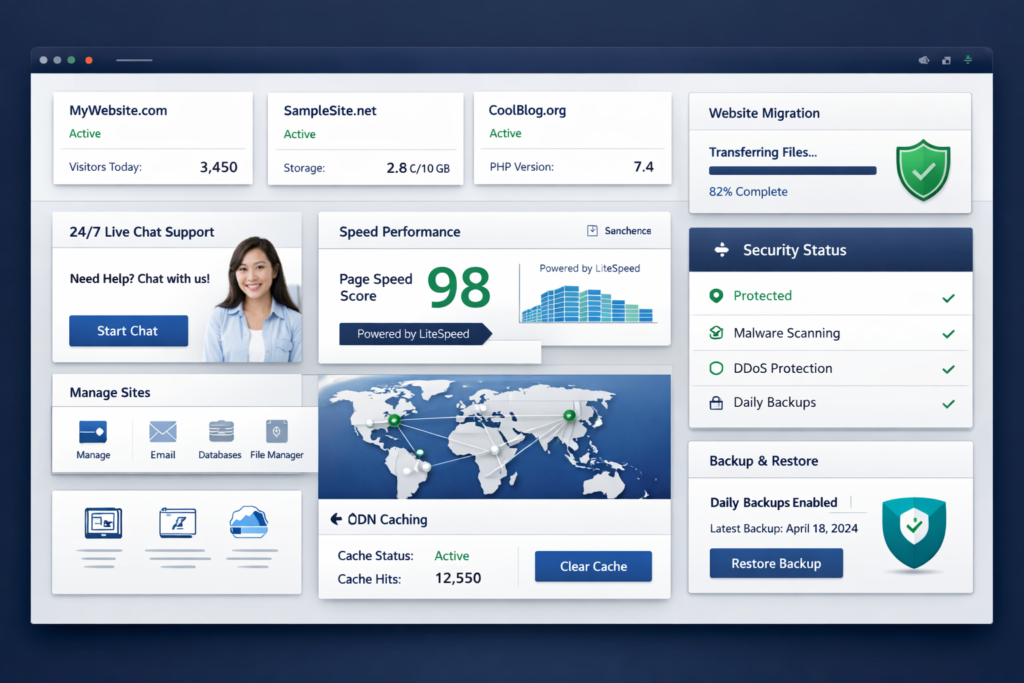
Quick Verdict
WPX is a strong premium managed WordPress hosting option for people who want fast real-human support, free migration handled by experts, built-in security, and a performance-focused platform that removes a lot of hosting friction.
It is especially attractive if your website matters to your business, leads, sales, or search visibility. If downtime, slow support, or migration problems cost you money, WPX becomes much easier to justify.
However, WPX is not the ideal choice for everyone. If your top priority is ultra-low price, or you want the broadest possible server-level flexibility, or you are hosting hobby projects with minimal revenue potential, you may find cheaper alternatives more practical.
| Category | Verdict |
|---|---|
| Best for | Business sites, affiliate sites, publishers, agencies, WooCommerce users, serious WordPress projects |
| Not ideal for | Ultra-budget users, throwaway side projects, people who only care about lowest monthly cost |
| Biggest strengths | Fast support, free expert migration, strong performance stack, built-in security, XDN CDN |
| Main drawbacks | Premium pricing, only 3 origin data center locations, staging limits, some advanced resources differ by plan type |
| Overall verdict | Worth it for serious WordPress users who value time, speed, and support |
What Is WPX?
WPX is a managed WordPress hosting provider built around speed, migration support, security, and hands-on customer service. Instead of presenting itself as a general-purpose budget host, WPX positions itself as a premium platform for users who want a faster and less stressful WordPress hosting experience.
That distinction matters for SEO-focused websites. Many site owners spend huge amounts of time researching keywords, writing better content, improving internal links, and optimizing conversion paths, only to place everything on weak hosting. When hosting is slow or unstable, it can hurt user experience, increase bounce risk, create admin frustration, and make even basic site management more annoying than it needs to be.
WPX tries to solve that by combining premium support with a WordPress-focused stack, a custom CDN called XDN, daily backups, malware cleanup, SSL, and a control panel that is more streamlined than the typical old-school shared hosting dashboard.
Who Should Consider WPX?
WPX makes the most sense for people who already know their website matters. If your site is a business asset, a lead-generation channel, a content site that needs to rank, or a revenue-producing affiliate project, you are much closer to WPX’s ideal customer than someone just experimenting with WordPress for fun.
| User Type | Is WPX a Good Fit? | Why |
|---|---|---|
| Affiliate marketers | Yes | Better speed, migration help, support, and lower operational friction for content sites that need rankings and conversions |
| Business website owners | Yes | Hands-on support and built-in security are valuable when the site supports leads or sales |
| Freelancers and small agencies | Yes | Higher-tier plans support multiple sites and save time on migrations, fixes, and account management |
| WooCommerce stores | Often yes | WPX has WooCommerce-specific plans with stronger resource allocation for more demanding stores |
| New hobby bloggers | Maybe not | Budget hosts are cheaper if the site has no real revenue or business value yet |
| Technical power users who want maximum server freedom | Maybe not | A more specialized managed platform may feel more opinionated than raw VPS-style hosting |
Why WPX Stands Out in a Crowded Hosting Market
Most hosting companies claim speed, support, and security. That is not unusual. What matters is how those claims are packaged in a way that actually reduces workload for the customer.
WPX stands out because it puts several high-friction hosting tasks into the included core offer. Instead of asking you to piece together migration help, malware cleanup, CDN configuration, SSL, staging, support escalation, and troubleshooting from different services, WPX bundles a large portion of that into one premium hosting environment.
For many WordPress users, that bundled convenience is the real product. The speed matters. The support matters. But what matters most is that you spend less time dealing with hosting problems and more time growing the site.
WPX Pricing: How Much Does It Cost?
WPX is a premium host, so the pricing is noticeably higher than basic shared hosting. That is the first reality to understand. The second is that the platform includes enough support and management value that many business users will see the pricing as reasonable rather than excessive.
At the time of writing, WPX’s main WordPress hosting plans are Starter, Business, Professional, Elite, and Agency. Annual and multi-year billing reduce the effective monthly cost.
| Plan | Best For | Monthly Billing | Annual Effective Monthly | Websites | Storage | Bandwidth | RAM | CPU | PHP Workers |
|---|---|---|---|---|---|---|---|---|---|
| Starter | One serious site | $17.99 | $14.99 | 1 | 10 GB | 100 GB | 3 GB | 0.5 core | 9 |
| Business | Small businesses | $29.99 | $24.99 | Up to 5 | 20 GB | 200 GB | 5 GB | 1 core | 15 |
| Professional | Freelancers / small agencies | $59.99 | $49.99 | Up to 15 | 40 GB | 400 GB | 15 GB | 2 cores | 45 |
| Elite | Power users | $119.99 | $99.99 | Up to 35 | 80 GB | Unlimited | 35 GB | 3 cores | 105 |
| Agency | Larger hosting portfolios | $599.99 | $499.99 | Up to 200 | 300 GB | Unlimited | 100 GB | 6 cores | 300 |
The entry price is not low, but this is also not a stripped-down plan. Even the Starter tier includes free SSL, daily backups, malware scans and removal, site migrations, the custom global CDN, and WPX’s “Fixed For You” support positioning.
That makes WPX easier to justify for serious sites than for casual ones. If your website earns money, generates leads, supports a brand, or is part of your long-term SEO strategy, a higher-quality host is often a rational cost rather than a luxury.
What You Get With Every WPX Plan
One reason WPX feels more premium than entry-level hosting is that many useful features are included upfront rather than sold back to you as add-ons.
| Included Across WPX Plans | Why It Matters |
|---|---|
| Custom high-speed XDN CDN | Helps deliver content faster to visitors around the world |
| Free site migration | Reduces switching friction and migration risk |
| Free SSL certificates | Improves security and supports modern SEO expectations |
| Daily backups | Useful recovery layer for mistakes, malware, or update problems |
| Malware scans and free removal | Helps protect site integrity without needing a separate cleanup service |
| Fixed For You support approach | WPX aims to diagnose and solve issues instead of pushing users into documentation loops |
| 24/7 technical support | Important when issues affect uptime or revenue |
| Brute-force and DDoS protection | Strengthens baseline site protection |
On paper, that list might look similar to other premium hosts. In practice, what makes it meaningful is how these features work together. Fast hosting alone is useful. Fast hosting plus free migration plus strong support plus malware cleanup plus CDN plus daily backups is much more compelling for site owners who want fewer moving parts.
WPX Performance: Is It Actually Fast?
Speed is one of WPX’s main selling points, and the platform’s official positioning consistently centers on that. The hosting stack uses LiteSpeed Enterprise, MariaDB, PHP support up to 8.4+, and OPcache. WPX also recommends the LiteSpeed Cache plugin if you want to unlock full-page caching, image optimization, lazy loading, and related performance features.
That combination matters because fast hosting is not just about server hardware. It is about the full delivery chain: efficient server software, smart caching, optimized PHP handling, CDN delivery, and lower friction when troubleshooting performance issues.
WPX’s custom XDN is a major part of its speed story. If your traffic is international, a CDN is not just a nice extra. It is often one of the most practical ways to improve real-world site responsiveness for users who are far from the origin server.
Another strength is that WPX offers free speed optimization support. That matters because many users know they need a faster site but do not know which bottleneck is actually causing the slowdown. A host that can help both with infrastructure and with practical optimization saves time.
Still, speed is never caused by hosting alone. Your theme, plugin stack, image weight, page builders, scripts, ads, and third-party apps all affect performance. WPX can improve the technical foundation, but it will not magically fix a badly bloated site.

WPX XDN: Why It Matters for Global Visitors
WPX offers 3 origin data center locations, which is less than some hosting providers that offer a long list of regional choices. However, WPX tries to offset that with its custom XDN, which is designed to improve global content delivery regardless of where your site is hosted.
For many website owners, that is a practical tradeoff. If your visitors come from multiple countries, a good CDN often matters more than obsessing over the exact origin location. WPX’s approach is essentially this: keep the core infrastructure fast, then use the XDN layer to improve delivery worldwide.
If your traffic is mostly local and hyper-region-specific, you may care more about origin server proximity. But if your audience is distributed across markets, the XDN can make WPX more attractive than its origin location count alone might suggest.
WPX Support: One of the Strongest Reasons to Choose It
Support quality is where WPX becomes especially appealing. Plenty of hosts say they offer support. Fewer hosts build their entire positioning around fast real-human response and practical issue resolution.
WPX highlights very fast live chat response times and a “Fixed For You” support promise. That matters because many site owners are not looking for another tutorial link. They want someone to diagnose the problem, explain it clearly, and solve it as quickly as possible.
For non-technical users, this is a major value point. For technical users, it can still be valuable because it removes the need to spend time on routine fixes, panel tasks, SSL issues, DNS changes, or emergency troubleshooting when something breaks at the wrong moment.
If support quality is near the top of your hosting decision criteria, WPX deserves serious consideration. This is especially true if you have had bad experiences with slow, outsourced, copy-paste support from cheaper hosting companies.
The “Fixed For You” Advantage
WPX’s “Fixed For You” idea is important because it changes the customer experience. Instead of expecting users to investigate server issues on their own, WPX says its team will diagnose the issue, explain the cause in plain language, and fix it for you when the site is offline or malfunctioning.
That kind of service is not just a support feature. It is a business continuity feature. If your site is tied to leads, bookings, content traffic, or sales, every hour of confusion has real cost. A host that aims to shorten that confusion can be worth significantly more than a cheaper provider that leaves you doing the technical cleanup yourself.
That said, it is still wise to be realistic. “Fixed For You” should not be read as unlimited custom development. It is best understood as a very support-heavy hosting model rather than a replacement for every kind of developer work.
WPX Migration: A Real Strength for Switchers
Migration is one of the most overlooked parts of choosing a new host. Many site owners stay with mediocre hosting simply because they do not want the stress of moving. WPX lowers that barrier by offering free migration handled by experts.
This matters more than it first seems. A manual migration performed by a capable team is usually more reassuring than a do-it-yourself plugin process, especially if your site has custom redirects, mixed-content issues, email concerns, or a messy plugin environment.
WPX also states that websites migrating in are scanned for malicious code, and if malware is found, the team handles cleanup. That adds another layer of risk reduction during the move.
If you are currently on a low-quality host and the thought of migrating has delayed your decision, WPX’s migration support is one of the best arguments in its favor.
Security and Backups
Security is another area where WPX tries to remove complexity. The platform includes malware scanning and removal, security patching and plugin risk scans, hybrid DDoS protection, brute-force protection, a web application firewall, SSL certificates, bad bot throttling, WordPress automatic updates, and other protection layers.
For a lot of WordPress users, this is valuable because security is usually fragmented. People install several plugins, add an external CDN, purchase extra monitoring, and still feel uncertain. WPX’s pitch is that much of the core protection is already part of the hosting environment.
Backups are also built into the platform. WPX advertises daily backups and a 28-day retention period across plans. That is a meaningful safety net for site owners who update content regularly, run client websites, or want a stronger recovery buffer than the minimum many cheaper hosts provide.
| Security / Backup Area | WPX Positioning |
|---|---|
| Malware | Scanning and free removal included |
| DDoS | Hybrid DDoS protection |
| Firewall | WAF included |
| SSL | Free Let’s Encrypt certificates with renewal handling |
| Brute-force protection | Included |
| Backups | Daily backups with 28-day retention |
| Bot protection | Bad bots throttling listed |
| Updates | WordPress automatic updates listed in security section |
Control Panel, Ease of Use, and Site Management
WPX uses its own control panel rather than relying on a more traditional cPanel-style experience. For many users, that is a good thing. A modern control panel built around WordPress workflows can feel cleaner and faster to navigate than generic dashboards designed for every possible type of hosting customer.
The control panel includes website management, SSL setup, staging, FTP and files, databases, backups, DNS editing, XDN controls, and plan details. Business email and related tools also appear in higher plan levels.
This is one of those quality-of-life areas that can quietly matter a lot. If the dashboard feels simpler, routine site administration becomes less annoying. That may not sound dramatic, but over months and years, it improves the overall hosting experience.

WPX Staging: Useful, But Not Unlimited
WPX includes staging, which is essential for testing plugin updates, redesigns, feature changes, or structural edits without risking the live website. For content sites and business sites, staging is one of the most practical managed hosting features you can have.
That said, WPX staging comes with limits, and it is good that the company is transparent about them. Your site database must be under 1 GB to create a staging copy, total file size must be under 5 GB, only one staging copy per site is allowed at a time, and WordPress Multisite is not supported in the staging area.
For normal WordPress sites, these limits may never matter. For larger or more unusual setups, they absolutely can. That does not make WPX bad. It just means the platform is optimized for a specific kind of WordPress experience rather than every possible edge case.
WPX for WooCommerce
WooCommerce websites are often more resource-hungry than regular content sites because they are more dynamic. Product pages, carts, checkouts, logged-in sessions, and promotional spikes place heavier demands on CPU, RAM, and PHP workers.
WPX addresses this by offering separate WooCommerce plans with stronger resource allocation and store-oriented optimization. That is a good sign because it suggests WPX is not treating ecommerce as just another generic WordPress use case.
If you run a serious store, especially one with traffic spikes or a growing catalog, the WooCommerce side of WPX is worth examining instead of assuming the regular WordPress plans are the best match. On the other hand, if you only have a simple brochure site or content site, the standard WordPress plans are the more logical place to start.
WPX Pros and Cons
| Pros | Cons |
|---|---|
| Fast WordPress-focused stack with LiteSpeed, MariaDB, OPcache, and XDN | More expensive than budget hosting |
| Free expert migration reduces switching pain | Only 3 origin data center locations |
| Strong support positioning and practical issue resolution | Staging has file size and database limits |
| Built-in malware cleanup, SSL, backups, WAF, DDoS protection | Not every advanced feature is equally relevant across every plan type |
| Modern WordPress-focused control panel | Can be more than hobby users need |
| Good fit for SEO-focused and revenue-generating sites | Premium hosting only makes sense if the site itself justifies the cost |
Who Should Not Buy WPX?
Not every review needs to end with “everyone should use this.” WPX is a good host, but it is not automatically the best option for every site owner.
You probably should not choose WPX if your primary decision factor is the absolute lowest price. You also may not need WPX if your site is a small experiment with little traffic, little importance, and no revenue potential yet.
Likewise, if your project requires a highly unusual server setup or extremely flexible infrastructure choices, a managed WordPress platform may feel more constrained than a VPS or custom cloud deployment.
WPX is best thought of as a premium productivity-and-reliability purchase. If that framing does not match your site, it may not be the right host for you right now.
Is WPX Good for SEO?
Hosting does not rank content by itself, but poor hosting absolutely makes SEO harder. If a site is slow, unstable, insecure, or frustrating to maintain, that can undermine the rest of your optimization work.
WPX can support SEO in several practical ways. Faster delivery improves the technical environment. SSL is included. CDN distribution helps global speed. Better uptime reduces technical risk. Malware scanning and cleanup lower the odds of security-related visibility problems. Easy migrations and strong support reduce the operational friction that often delays site improvements.
That said, no host can compensate for weak content, poor topical coverage, bad search intent targeting, or thin internal linking. The correct view is this: WPX can strengthen the technical foundation under your SEO work, but it does not replace the SEO work itself.
Best WPX Plan by Website Type
| Website Type | Recommended WPX Plan | Reason |
|---|---|---|
| One serious affiliate or business site | Starter | Enough for a single high-priority site if you want premium hosting without scaling to multiple installs |
| Small business with several sites | Business | Supports up to 5 sites and adds email-related features |
| Freelancer or small agency | Professional | Better fit for a portfolio of client sites and growing workloads |
| Larger publishing or client portfolio | Elite | More headroom for higher traffic and a larger site count |
| Large agency or hosting-heavy operation | Agency | Built for broad multi-site management and heavier resource needs |
For many users, the sweet spot is not the cheapest plan. It is the plan that gives you enough headroom to avoid being forced into an upgrade the moment traffic improves. If your site is growing, choosing the plan based only on today’s needs can be short-sighted.
WPX vs Cheap Hosting: The Real Comparison
The real decision many people are making is not “WPX versus every premium host on Earth.” It is often “WPX versus staying on a cheaper host that I have already outgrown.”
That comparison changes the conversation. A cheaper host may look better in a simple pricing table, but once you add slow support, migration anxiety, performance limitations, extra security costs, and time spent troubleshooting problems, the low price can stop being a real bargain.
WPX is often easiest to justify when the alternative is not another premium host, but a frustrating hosting situation that keeps wasting your time. If your current host is already slowing you down, the opportunity cost of staying can be larger than the cash cost of switching.
Real Limitations You Should Know Before Buying
A trustworthy review should include limitations, not just praise. Here are the main ones worth keeping in mind.
- WPX is premium-priced, so it is not the best value choice for hobby projects.
- It offers 3 origin data center locations, which is fewer than some competitors.
- Staging has clear limits, including a 1 GB database cap and 5 GB total file cap.
- Managed environments are convenient, but they are not ideal for every advanced custom workflow.
- If your site has no business value yet, the premium cost may be hard to justify.
None of these automatically disqualify WPX. They simply define the kind of customer WPX serves best.
Final Verdict: Is WPX Worth It?
Yes, WPX is worth it for the right kind of user. If you want managed WordPress hosting that combines strong support, free expert migration, good performance architecture, useful built-in security, and a lower-stress hosting experience, WPX is one of the better premium options available.
Its best customers are not people chasing the cheapest monthly bill. Its best customers are site owners who care about speed, trust, uptime, support quality, and time saved. That includes businesses, affiliate publishers, agencies, and ecommerce operators who understand that better hosting can protect both rankings and revenue.
If that sounds like you, WPX is absolutely worth a close look. If your site is still just a lightweight experiment, you can probably wait until your project grows into a better fit for premium hosting.

FAQ About WPX Hosting
Is WPX good for WordPress websites?
Yes. WPX is built specifically for WordPress and WooCommerce hosting, which makes it a better fit for WordPress users than generic low-cost shared hosting providers. The platform is designed around performance, support, migrations, and security rather than just cheap hosting space.
Is WPX worth the money?
WPX is worth the money if your site matters to your business, traffic, rankings, or revenue. It is harder to justify for hobby sites or experiments with no financial upside. In other words, WPX tends to be worth it when site quality and uptime matter more than saving a few dollars per month.
Does WPX include free migration?
Yes. WPX offers free migration under its migration policy and is known for expert-handled migration support. That is one of its strongest selling points because migration is often one of the biggest barriers to switching hosts.
Does WPX include a CDN?
Yes. WPX includes its custom XDN CDN. This is especially useful if your audience is spread across multiple countries and you want better delivery speed beyond the origin server location.
Does WPX include free SSL?
Yes. WPX includes free SSL certificates powered by Let’s Encrypt and also handles renewal so you do not need to manage that manually.
How many websites can you host on WPX?
That depends on your plan. The Starter plan is for one site, while higher plans support more websites. Business supports up to 5, Professional up to 15, Elite up to 35, and Agency up to 200.
Is WPX good for WooCommerce?
Yes, especially if you choose WPX’s WooCommerce-specific plans. Dynamic ecommerce sites need more resources than normal blogs, and WPX has separate WooCommerce plans to account for that.
Does WPX offer staging?
Yes. WPX includes staging, which is helpful for testing changes safely. However, staging is subject to limitations, including database and file-size thresholds, and it does not support WordPress Multisite.
Is WPX better than cheap shared hosting?
For serious websites, usually yes. WPX offers better support, a more WordPress-focused performance stack, stronger built-in security, free migration, and a generally more premium experience. Cheap shared hosting can still make sense for small experimental sites, but it is often not the best long-term choice for important projects.
What is the biggest downside of WPX?
The biggest downside is price. WPX is not a budget host, so the value depends on whether your website is important enough to justify a premium hosting bill. For the wrong user, WPX can feel expensive. For the right user, it can feel efficient.
