
If you are looking for an online photo editor that can handle quick design tasks, background removal, image retouching, batch processing, and simple visual content creation without installing heavy desktop software, PhotoKit is one of the tools worth considering.
PhotoKit is positioned as an AI-powered online photo editor that combines image enhancement, background removal, basic retouching, batch image processing, and simple design tools in one browser-based workspace. For bloggers, affiliate marketers, ecommerce sellers, and small business owners, that combination can be very attractive because it reduces the need to jump between multiple tools just to finish one set of images.
In this PhotoKit review, I’ll cover its core features, pricing, pros and cons, who it is best for, and whether it is actually worth paying for in 2026.
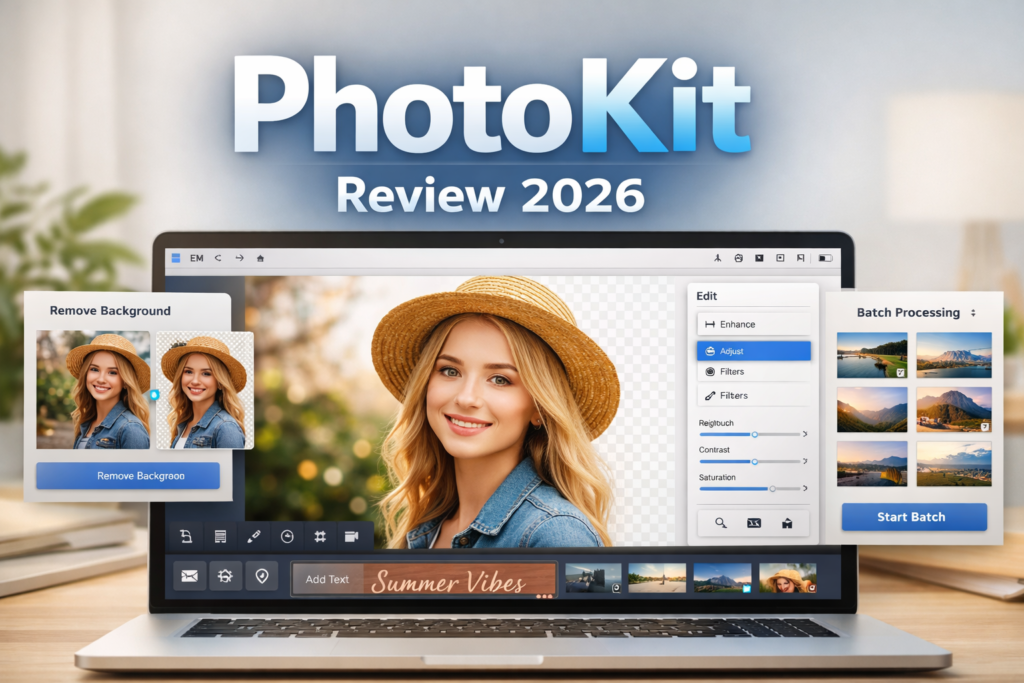
If you want a quick way to test whether PhotoKit fits your workflow, you can start by checking the current offer here: 👉 Try PhotoKit here and see the latest deal
What Is PhotoKit?
PhotoKit is an online photo editing tool designed for users who want to edit images directly in the browser instead of relying completely on traditional desktop software. It focuses on speed, convenience, and practical image editing tasks that are common in blogging, ecommerce, digital marketing, and everyday content creation.
Instead of being just a single-purpose background remover, PhotoKit appears to function more like an all-in-one image toolkit. It includes editing features such as background removal, image retouching, one-click enhancement, perspective correction, text and shape overlays, collage creation, and bulk image processing.
That broader toolset is one of the reasons PhotoKit stands out. Many web-based image tools are limited to one or two headline features, but PhotoKit tries to cover a wider range of everyday editing needs in one place.
PhotoKit Main Features
| Feature | What It Does | Why It Matters |
|---|---|---|
| AI photo editor | Edits images directly in the browser | Useful for quick work without installing desktop software |
| Background remover | Removes image backgrounds automatically | Helpful for ecommerce, thumbnails, and product images |
| Object removal / inpaint | Removes unwanted elements from photos | Good for cleaning up visual distractions |
| Image retouch | Smooths blemishes and improves portraits | Useful for profile pictures and simple portrait editing |
| One-tap enhancement | Improves image quality quickly | Saves time for beginners and non-designers |
| Perspective correction | Corrects distorted angles automatically | Useful for product photos and document-style images |
| Text and graphics overlays | Adds text, arrows, circles, and shapes | Great for tutorials, blog graphics, and marketing visuals |
| Collage templates | Creates simple visual layouts faster | Helpful for social media and promo content |
| Batch image processing | Resize, crop, compress, convert, rename, and export in bulk | A big time-saver for content-heavy workflows |
| Cross-platform use | Works across browser-based environments | Convenient for users who work on multiple devices |
👉【图片占位符 2】插入 PhotoKit 功能区或编辑工具界面截图
What I Like About PhotoKit
1. It does more than basic photo editing
One of the best things about PhotoKit is that it does not look limited to a single trick. It goes beyond basic cropping or simple filters and offers a combination of editing, enhancement, retouching, background tools, overlays, and batch utilities. That makes it more useful for people who regularly handle images for work.
2. The batch tools are genuinely useful
If you manage a blog, online store, Pinterest workflow, or large image library, batch editing can save an enormous amount of time. Being able to resize, compress, crop, convert, or rename multiple files at once is not just a nice extra. For many users, it is one of the main reasons a tool like this becomes worth paying for.
3. It seems beginner-friendly
PhotoKit is clearly aimed at people who want results quickly. That is important because many users searching for an online editor are not professional designers. They want a tool that helps them finish tasks fast, not another complex platform with a long learning curve.
4. Browser-based editing is convenient
Because the workflow is browser-based, PhotoKit is easier to access than traditional desktop editors for quick jobs. That convenience matters a lot for bloggers, marketers, and business owners who need speed more than advanced studio-level control.
Potential Downsides of PhotoKit
| Potential downside | Why it matters |
|---|---|
| Browser-based workflow | May not fully replace advanced desktop software for high-end editing |
| Free plan limitations | Frequent users may need to upgrade fairly quickly |
| Ads on the free version | Can make the workflow less comfortable |
| Best for convenience-first users | Advanced users may want more manual control |
| Feature depth may vary | Broad toolsets do not always mean each tool is equally powerful |
This does not necessarily make PhotoKit a weak product. It simply means the ideal user is probably someone who values convenience, speed, and everyday usefulness more than deep professional editing precision.
PhotoKit Pricing
Pricing is an important part of whether PhotoKit makes sense. Based on the current offer structure, PhotoKit positions itself as an accessible tool rather than an expensive professional suite, which is good news for beginners, bloggers, and small business users who want a lower-cost solution.
| Plan | What to Expect |
|---|---|
| Free | Basic access with limitations |
| Paid plan | Better value for users who edit images regularly |
| Lifetime option | Potentially attractive for long-term users who prefer one-time payment |
👉【图片占位符 3】插入 PhotoKit 价格页面或套餐截图
If pricing is the main thing you want to compare before making a decision, you can check the current plan here: 👉 See PhotoKit pricing and today’s available offer
Who Is PhotoKit Best For?
| User Type | Why PhotoKit May Fit |
|---|---|
| Bloggers | Useful for featured images, blog graphics, resizing, and compression |
| Affiliate marketers | Helpful for creating promo visuals and editing article images quickly |
| Ecommerce sellers | Background removal and image cleanup are especially useful |
| Small businesses | Good for simple marketing visuals without hiring a designer every time |
| Beginners | Easier starting point than traditional advanced editors |
| Content creators | Fast edits, overlays, and simple visual improvements can save time |
If your work involves preparing a lot of visuals quickly, PhotoKit makes more sense than if you only edit one or two images a month. The more repetitive your image workflow is, the more valuable its convenience becomes.
PhotoKit vs Traditional Desktop Editors
| Category | PhotoKit | Traditional Desktop Editors |
|---|---|---|
| Setup | Browser-based | Usually requires installation |
| Ease of use | Better for beginners | Often more complex |
| Speed for simple tasks | Fast and convenient | Can feel slower for quick edits |
| Batch tools | Very useful for repetitive workflows | May require more setup or expertise |
| Advanced control | More limited | Usually deeper and more powerful |
| Accessibility | Easy access on different devices | Often tied more closely to one machine |
This comparison does not mean PhotoKit is better than desktop software in every situation. It means PhotoKit may be the smarter option for users who prioritize speed, convenience, and ease of use over advanced technical control.
Pros and Cons
| Pros | Cons |
|---|---|
| Easy to use | May not replace advanced professional editors |
| Useful mix of image editing tools | Free experience may feel limited for frequent users |
| Batch processing adds real value | Some users may want deeper editing control |
| Convenient browser-based access | Best suited to convenience-first workflows |
| Potential lifetime value for long-term users | Not every feature may match specialist tools |
👉【图片占位符 4】插入 PhotoKit 优缺点总结图、使用场景图,或“适合哪些人”示意图
Is PhotoKit Worth It?
For the right type of user, yes. PhotoKit looks most useful for people who want a practical online image editor that can handle everyday tasks efficiently. If your priorities are quick editing, background removal, basic retouching, visual cleanup, and bulk processing, PhotoKit has a strong value proposition.
It is especially appealing if you are a blogger, marketer, content creator, or online seller who needs to work with images regularly but does not want the complexity of traditional professional editing software for every small task.
On the other hand, if you need highly advanced design control, detailed layer-based workflows, or studio-level retouching, you may still prefer a more specialized desktop editor. PhotoKit feels strongest as a convenience-first tool built to save time.
Final Verdict
PhotoKit is worth considering if you want an all-in-one online photo editor that balances ease of use, useful AI-style tools, and batch image processing in one browser-based platform. It is not trying to be the most advanced editing tool on the market. Instead, it focuses on helping everyday users finish image-related tasks faster and with less friction.
For many bloggers and affiliate marketers, that kind of practical value is exactly what matters most. If your workflow includes editing featured images, cleaning up promotional visuals, removing backgrounds, compressing large image sets, or preparing content for publishing, PhotoKit may be a smart addition to your toolkit.
If you want to check whether PhotoKit is the right fit for your needs, this is the best place to start: 👉 Get PhotoKit here and check the latest available deal
About the Author
Xu Xun
Contact: xuxun1208@gmail.com
Last Updated: June 2026