
If you are looking for a practical Windows data recovery tool, this PandaOffice Drecov review covers what the software does, who it is best for, how much it costs, where it performs well, and where it may not be the best fit. Data loss can happen in seconds, whether you accidentally delete files, empty the Recycle Bin, format the wrong drive, lose access to a USB stick, or discover that an SD card is no longer readable. In those situations, the right recovery tool is not just a convenience. It can be the difference between restoring important documents, photos, videos, and project files or losing them for good.
PandaOffice Drecov is positioned as a Windows-focused recovery solution for common file loss scenarios. According to the official product pages, it supports a wide range of file types and storage devices, including HDDs, SSDs, USB drives, SD cards, and other removable media. It also highlights free scanning and file preview before recovery, which is one of the most important features in this category because users want to see whether their lost files are still detectable before committing to a purchase.
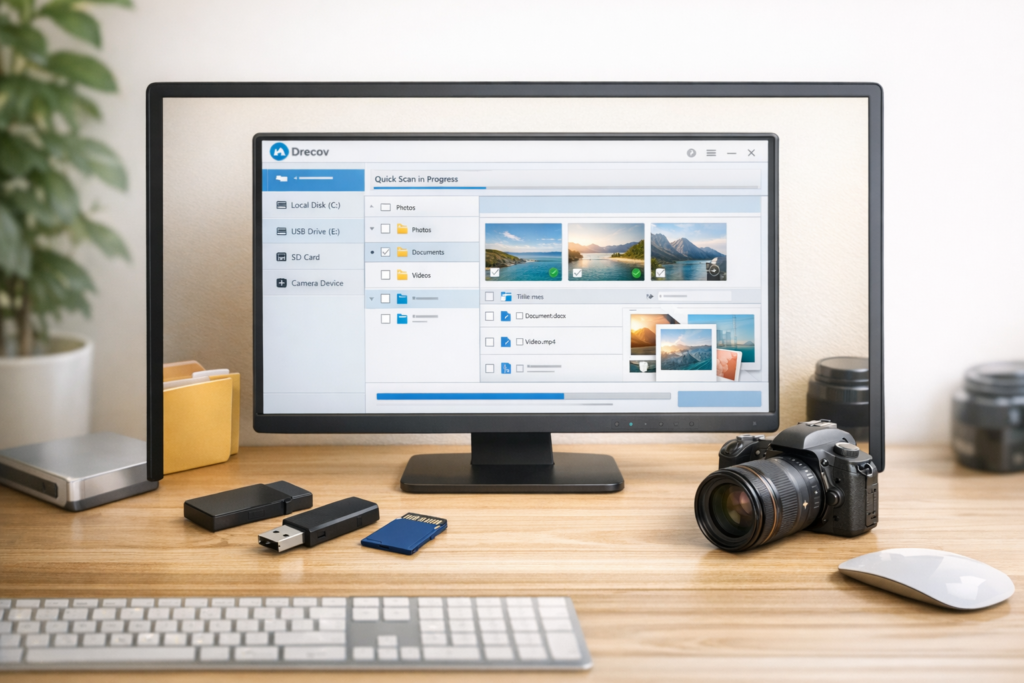
Quick Verdict
PandaOffice Drecov is a strong fit for Windows users who want a simple recovery tool for everyday data loss problems, especially deleted files, formatted drives, lost partitions, and inaccessible external storage. Its biggest strengths are its beginner-friendly workflow, broad device coverage, preview before recovery, and clear focus on common consumer use cases. Its biggest limitation is that it is mainly positioned around Windows, so it is not the right choice for users who need a Mac-first recovery solution.
| Category | Verdict |
|---|---|
| Best for | Windows users recovering deleted or lost files from HDD, SSD, USB, SD card, and other storage devices |
| Standout strengths | Free scan, file preview, broad recovery coverage, simple workflow |
| Main limitation | Windows-focused positioning |
| Good use cases | Deleted files, formatted drives, lost partitions, inaccessible removable media |
| Less ideal for | Mac-only users or people expecting enterprise-grade forensic recovery |
What Is PandaOffice Drecov?
PandaOffice Drecov is a data recovery tool designed to help users restore lost files on Windows computers and storage devices. Based on the official product information, it is marketed as a solution for recovering photos, videos, audio, documents, emails, and other file types from a wide variety of scenarios. Instead of trying to be a general “everything tool,” it focuses on one high-intent problem: getting files back after accidental deletion, formatting, corruption, or storage access issues.
That focus matters from both a user perspective and an SEO perspective. Users searching for data recovery software usually have a very specific problem. They do not want a vague productivity suite or a broad maintenance app. They want to know whether the product can help recover a deleted USB folder, restore files from a formatted SD card, or retrieve documents from an unreadable external drive. Drecov is easier to market than many mixed-purpose utilities because its core purpose is clear.
| What Drecov Claims to Cover | Why It Matters |
|---|---|
| Deleted files | Useful for accidental deletion on desktop, laptop, USB, or SD card |
| Formatted drives | Important for users who formatted the wrong partition or removable media |
| Lost partitions | Helpful when a partition disappears or becomes inaccessible |
| Corrupted storage | Relevant when the drive or card can be detected but files are missing or unreadable |
| Multiple storage devices | Expands use cases beyond a single internal drive |
Key Features at a Glance
One reason PandaOffice Drecov has real promotional potential is that its feature set matches the kinds of questions people actually search for. The software is not built around abstract marketing language alone. Its core messaging connects directly to practical recovery needs: finding lost files, previewing them, and restoring them in a simple step-by-step way.
| Feature | Why It Helps |
|---|---|
| Free scan | Lets users check whether recoverable files are still visible before making a decision |
| File preview | Helps confirm file quality and relevance before recovery |
| Wide file type coverage | Useful for photos, videos, audio, documents, and more |
| Device support | Relevant for HDD, SSD, USB flash drives, SD cards, cameras, and external storage |
| Simple workflow | Good for non-technical users who want a straightforward recovery process |
| Windows compatibility | Fits a large portion of mainstream desktop users |
For many buyers, the most important feature is not a technical spec. It is confidence. Free scan and preview help reduce uncertainty because users can often see whether their missing files still appear in the scan results. That makes Drecov easier to recommend than a recovery tool that asks users to pay first and hope later.
Who Is PandaOffice Drecov Best For?
Not every recovery tool is equally suitable for every user. PandaOffice Drecov appears to be best for mainstream Windows users dealing with everyday file loss rather than advanced forensic or enterprise-level cases. That is not a weakness. In fact, it makes the product easier to position because the target audience is clear.
| User Type | Is Drecov a Good Fit? | Reason |
|---|---|---|
| Home users | Yes | Useful for restoring photos, videos, and documents after accidental deletion |
| Students | Yes | Helpful for recovering project files, coursework, and USB data |
| Office workers | Yes | Relevant for lost spreadsheets, presentations, PDFs, and work documents |
| Creators and photographers | Yes | Useful for SD card and removable media recovery |
| Mac-only users | No | The product is mainly positioned around Windows |
| Forensic recovery professionals | Maybe not | The messaging is consumer-focused, not enterprise forensic-focused |
Real-World Recovery Scenarios Where Drecov Makes Sense
A good review article should connect product features to real problems. That is especially important in the recovery software category because search intent is usually problem-driven, not curiosity-driven. People rarely wake up wanting to browse data recovery tools for fun. They search because something already went wrong. This is exactly why PandaOffice Drecov can work well in affiliate content. The need is often urgent and specific.
| Scenario | Why Drecov Is Relevant |
|---|---|
| Recover deleted files from a USB drive | Strong match for one of the most common consumer recovery searches |
| Restore files from a formatted SD card | Useful for camera cards, portable storage, and memory media |
| Recover files from an external hard drive | Relevant when portable drives become unreadable or files disappear |
| Get back lost Word, Excel, or PDF files | Important for students, freelancers, and office workers |
| Find missing photos or videos | Good fit for family media, creator assets, and personal archives |
| Recover data after partition loss | Useful when a drive section disappears or becomes inaccessible |
This section is also useful for organic search because it naturally supports long-tail intent. In other words, this single review can rank not only for the branded keyword “PandaOffice Drecov review,” but also serve as a strong internal link target later for articles such as “how to recover deleted files from USB,” “best SD card recovery software,” or “recover files from a formatted hard drive.”
Ease of Use: How PandaOffice Drecov Works
Ease of use is one of the biggest decision factors in this category. Most people looking for recovery software are already stressed. They do not want a complicated interface, a technical recovery lab, or ten advanced options they barely understand. They want a simple process that shows them where to click and what to do next.
Based on the official workflow, PandaOffice Drecov follows a simple pattern:
- Select the drive, folder, or location where the files were lost.
- Run a scan to search for recoverable files.
- Preview the results and recover the files to a different location.
This kind of workflow is exactly what most casual users need. It is simple enough for beginners, but still aligned with good recovery practice. One of the most important best practices is saving recovered files to a different drive or device rather than writing them back to the original location. That helps reduce the risk of overwriting data that may still be recoverable.
Suggested image alt text: PandaOffice Drecov scan preview and recover workflow
PandaOffice Drecov Pricing and Value
Pricing matters a lot in software reviews because even strong features can lose appeal if the pricing feels unclear or overpriced. PandaOffice Drecov is easier to discuss than many tools because the public plans are fairly simple. The current public pricing structure highlights a short discounted plan and a lifetime option, which is often more attractive for users who do not want ongoing recurring charges.
| Plan | Devices | Public Price Shown | Value Angle |
|---|---|---|---|
| 1 Week Discounted | 1 PC | $19.99 | Good for urgent one-time recovery needs |
| Lifetime Discounted | 4 PCs | $59.99 | Better long-term value for multi-device households or repeat use |
| Refund Policy | — | 30-day money-back guarantee | Helps reduce purchase risk |
For many buyers, the lifetime plan is likely the more attractive option because data loss is rarely something people plan for. If the cost difference is reasonable, long-term access can feel more reassuring than a short-term plan, especially for households with multiple PCs, photographers who frequently use SD cards, or anyone who wants a recovery tool available before the next emergency happens.
Pros and Cons
| Pros | Cons |
|---|---|
| Beginner-friendly workflow | Mainly positioned around Windows |
| Free scan and preview | Not aimed at enterprise forensic workflows |
| Useful coverage for common recovery scenarios | Some users may want even more transparent independent testing data |
| Broad device and file type positioning | Best results still depend on device condition and whether data was overwritten |
| Good fit for USB, SD card, and external drive recovery | Not every lost file can be guaranteed recoverable |
What I Like Most About PandaOffice Drecov
The strongest thing about PandaOffice Drecov is not just the headline claim of file recovery. It is the way the product is positioned around practical user behavior. Most users are not asking for advanced forensic features. They are asking basic but urgent questions: Can I recover deleted files from a USB drive? Can I get data back from a formatted SD card? Can I restore important work documents after emptying the Recycle Bin? Drecov is easy to place in those conversations because it is clearly aimed at those kinds of use cases.
I also like the preview angle from a conversion standpoint. In affiliate marketing, uncertainty kills conversions. A preview feature helps readers feel that they are not taking a blind gamble. Even if they are not technical, they can often understand whether the scan is finding the right file names, media, or folders.
Where PandaOffice Drecov Is Less Convincing
No review should read like a brochure, especially if the goal is long-term rankings and AI citation visibility. PandaOffice Drecov has clear strengths, but it also has limits. First, it is mainly built around Windows users, which naturally narrows its audience. Second, as with any recovery software, success depends on the real-world condition of the storage device and whether new data has overwritten the lost files. No tool can honestly promise guaranteed recovery in every case, especially after severe physical damage or heavy overwrite activity.
That does not make the product weak. It simply means it should be recommended for the right situations. It makes the most sense when the storage device is still detectable and the data loss is recent enough that there is still a realistic chance of recovery.
Is PandaOffice Drecov Safe and Legit?
From a buyer’s perspective, legitimacy matters almost as much as technical performance. PandaOffice appears to operate with a full commercial site structure that includes product pages, support pages, account access, terms, refund policy, and installation notes. That is a stronger trust signal than a thin one-page software site with no visible policy framework. It does not automatically prove that the tool is the best option in the category, but it does support the idea that Drecov is a real commercial product rather than a random download landing page.
As for safe usage, the most important rule is to stop writing new data to the affected drive as soon as possible. The more you keep using the device, the greater the risk of overwriting files that may still be recoverable. In practical terms, that means scanning early and recovering the files to a different destination rather than back to the original location.
Is PandaOffice Drecov Worth It?
PandaOffice Drecov is worth considering if you are a Windows user dealing with a clear recovery problem and you want a straightforward solution that does not feel overly technical. It is especially appealing for people who need to recover deleted files from USB drives, restore data from SD cards, retrieve documents from external hard drives, or scan storage media after accidental formatting. In those situations, the software’s positioning, preview-first approach, and simple workflow make sense.
If you want a clean answer, here it is: PandaOffice Drecov is not a miracle product, but it does appear to be a sensible data recovery option for common Windows recovery needs. That makes it easier to recommend than a vague all-in-one utility with no clear problem-solution focus.
Suggested image alt text: PandaOffice Drecov supported devices and file recovery use cases
Final Verdict
If your readers are mainly Windows users, PandaOffice Drecov is the kind of product that can fit naturally into both branded review content and problem-solution content. Its strongest selling points are simple but useful: it is built around common recovery scenarios, it supports multiple storage types, it includes free scan and preview, and it avoids the complexity that turns many casual users away from recovery software.
For users who need a practical way to recover lost files from a PC, USB drive, SD card, or external hard drive, PandaOffice Drecov is a reasonable option to consider. It is best viewed as a consumer-friendly Windows recovery tool rather than a niche forensic platform, and that clear positioning is exactly what makes it easier to market and easier to rank for.
Frequently Asked Questions
Does PandaOffice Drecov work on Windows 11?
Yes, PandaOffice Drecov is positioned as a Windows-compatible recovery tool, and its public product information includes support for Windows 11 along with earlier Windows versions.
Can PandaOffice Drecov recover files from a formatted drive?
It is designed for that type of scenario, but recovery success depends on whether the drive has been overwritten and how severe the underlying storage issue is. In general, the sooner you scan the drive after formatting, the better your chances.
Can I preview files before recovery?
Yes. One of the product’s strongest selling points is the ability to scan and preview files before recovery, which helps users see whether the software is detecting the right items.
Is PandaOffice Drecov good for USB and SD card recovery?
Yes. That is one of the clearest use cases for the product, and it is one of the reasons the software has decent affiliate and SEO potential.
Is PandaOffice Drecov worth buying?
If you are on Windows and need an easy-to-use recovery tool for deleted, formatted, or inaccessible files, it is worth considering. The value is strongest when you want a practical consumer-focused solution instead of a complex technical recovery platform.
Disclosure: This article may contain affiliate links. If you buy through these links, we may earn a commission at no extra cost to you.
About the Author
Xu Xun
Contact: xuxun1208@gmail.com
Last Updated: June 2026