
ExpertSlides Review: Is This AI PowerPoint Add-In Worth It for PowerPoint Users?

If you create presentations regularly, you already know that making a good slide deck is rarely as simple as copying text onto slides. Even when the content is ready, you still need to structure the flow, choose layouts, format everything cleanly, find visuals, keep branding consistent, and make the final presentation look professional.

That process can take hours.

This is where ExpertSlides tries to stand out. Instead of acting like a generic AI tool that promises magic in one click, ExpertSlides is positioned as a practical presentation tool for people who already work in Microsoft PowerPoint and want to create better presentations faster.

In this ExpertSlides review, I will break down what the tool does, its main strengths, pricing, pros and cons, who it is best for, and whether it is actually worth paying for if PowerPoint is already part of your workflow.
👉Try ExpertSlides Here

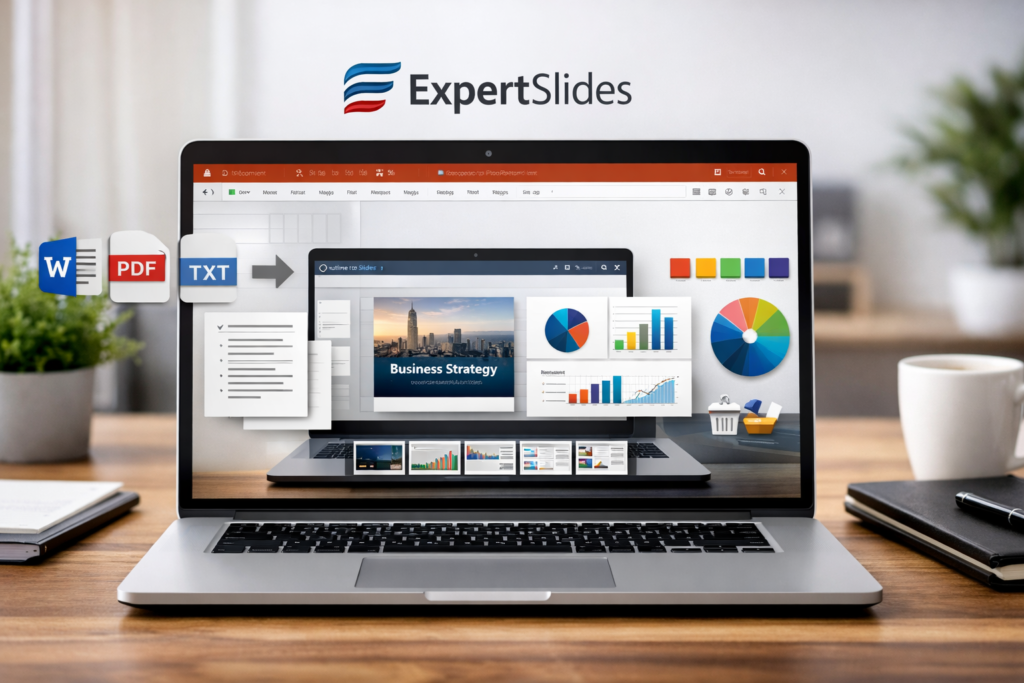
ExpertSlides hero image showing an AI presentation maker for PowerPoint on a laptop screen with professional slide design elements.

What Is ExpertSlides?

ExpertSlides is an AI-powered presentation tool designed for PowerPoint users who want to create decks faster and more efficiently. Rather than focusing only on one-click AI generation, it appears to be built around a broader productivity workflow that combines presentation creation, templates, slide support, and a more business-oriented use case.

That distinction is important.

Many AI presentation tools are designed more for novelty than for real work. They can look impressive in demos, but once you try to use them for client presentations, internal reports, proposals, investor decks, or strategy presentations, they often feel disconnected from how professionals actually build slides.

ExpertSlides feels more practical because it is easier to position as a productivity tool for people who already work inside PowerPoint. That makes it easier to understand and easier to recommend to a more specific audience.

ExpertSlides is especially relevant for:

  • consultants
  • sales teams
  • agency teams
  • startup founders
  • marketing professionals
  • business users who create presentations regularly
  • PowerPoint-heavy users who want faster workflow support

If you already use PowerPoint often, ExpertSlides makes much more sense than many generic AI slideshow tools that try to move everything into a totally different environment.

Why ExpertSlides Is Different From Generic AI Presentation Tools

One reason this tool is easier to understand than many competitors is that it is not trying to be everything for everyone. Instead, it fits a specific type of user: someone who already works in PowerPoint and wants to save time without rebuilding their workflow from scratch.

That gives ExpertSlides a more practical angle.

Instead of asking users to abandon PowerPoint and switch to a completely different platform, it can be positioned as a tool that improves an existing workflow. That is a much easier sell for professionals who already have habits, templates, internal standards, and presentation processes tied to Microsoft Office.

For many users, that matters more than flashy AI generation.

In real-world presentation work, the goal is not just to produce slides quickly. The goal is to produce slides that are clear, usable, professional, and easy to edit. A tool that supports real work can be more valuable than a tool that only generates a pretty-looking first draft.

ExpertSlides Review: Main Features

The best way to evaluate ExpertSlides is to look at the types of problems it seems built to solve.

1. Faster First Draft Creation

One of the hardest parts of making presentations is simply getting started. Even when you know what you want to say, turning rough content into a coherent presentation structure can take a lot of time.

That is where tools like ExpertSlides become attractive. Instead of building every slide manually, users can speed up the first-draft process and spend more of their time refining the content rather than formatting from scratch.

This is especially useful for people creating:

  • client presentations
  • pitch decks
  • internal reports
  • sales decks
  • marketing plans
  • business strategy presentations

2. Better Fit for PowerPoint Users

This is one of the strongest points of ExpertSlides. A lot of presentation tools sound good in theory but become less appealing when they require users to learn a completely different platform. ExpertSlides is much easier to recommend if the target audience already works in PowerPoint and simply wants a more efficient process.

That means the tool is not only about AI. It is also about reducing friction.

For professionals, reducing friction often matters more than adding flashy features. The easier it is to fit a tool into an existing workflow, the more likely people are to keep using it.

3. More Useful for Professional Presentation Work

Casual slide creators and professionals do not need the same thing. Someone making a school presentation once in a while has very different needs from a consultant, sales rep, founder, or marketer who builds presentations constantly.

ExpertSlides is easier to position as a tool for professional use cases. That includes scenarios where users need decks that look polished, structured, presentable, and easy to update quickly.

That makes it more relevant for people who care about productivity and output quality, not just basic slide generation.

4. Workflow Support Beyond “AI Magic”

A lot of AI tools are marketed as if the magic is everything. In reality, long-term value usually comes from workflow improvements. A good presentation tool should not only help generate content, but also make the whole process easier to manage.

That includes:

  • starting faster
  • editing more efficiently
  • keeping decks organized
  • making slides look more professional
  • reducing repetitive design work

This is why ExpertSlides is more interesting than a simple text-to-slide gimmick. If it truly improves workflow for PowerPoint users, it becomes a more serious productivity tool rather than just another AI novelty.

5. Stronger Positioning for Business Users

Another advantage is that ExpertSlides can be framed around clear business value. When a tool helps save time on proposals, investor decks, sales presentations, internal meetings, or client deliverables, the subscription becomes easier to justify.

That is a stronger buying angle than trying to sell it as a fun AI product for everyone.

Feature image showing ExpertSlides turning a document into polished PowerPoint slides with templates, icons, charts, and brand color tools.

ExpertSlides Features at a Glance

Feature AreaWhat It Helps WithWhy It Matters
AI-powered presentation supportHelps users create a faster first draftReduces time spent starting from scratch
PowerPoint-focused workflowFits users already working inside PowerPointLower learning curve and less workflow disruption
Professional presentation use caseSupports business decks, proposals, and reportsBetter fit for serious presentation users
Workflow efficiencyReduces repetitive formatting and setup workMore practical than tools focused only on AI demos
Productivity positioningHelps users save time in ongoing workEasier to justify as a paid tool

ExpertSlides Pricing

One good thing about ExpertSlides is that the visible pricing is simple enough to understand quickly. That matters because complicated pricing often hurts conversions.

PlanPriceBillingBest For
Annual Plan$19/monthBilled annuallyUsers who want lower monthly cost over time
Monthly Plan$29/monthBilled monthlyUsers who want flexibility before committing

For a professional productivity tool, this pricing is not unreasonable. It is not positioned as a low-cost impulse buy, but it is also not priced at an enterprise-only level. That means the value will depend mainly on how often you build presentations and how much time the tool actually saves you.

If you create decks regularly, the annual option is likely the better value. If you just want to test the workflow first, the monthly plan is the safer starting point.

👉 Check the Latest ExpertSlides Pricing Here

Pros and Cons of ExpertSlides

ProsCons
Designed for people who already use PowerPointLess attractive for users who prefer Canva-style tools
Can save time on creating presentationsBest value mainly for frequent presentation creators
More relevant for professional and business workflowsMay feel too specific for casual users
Easier to position as a productivity toolNot ideal if you rarely make slide decks
Visible pricing is simple to understandUsers still need to see a clear ROI before subscribing

Who Should Use ExpertSlides?

ExpertSlides is not for everyone, and that is actually one of its strengths. Products with a clear target user often convert better because they are easier to explain and easier to trust.

ExpertSlides is a good fit for:

  • consultants creating client decks
  • sales teams building proposals and pitch decks
  • agencies that need polished presentations quickly
  • startup founders preparing investor presentations
  • marketing teams creating reports and strategy decks
  • business users who spend a lot of time in PowerPoint

ExpertSlides may not be the best fit for:

  • casual users who rarely make presentations
  • students looking for a free slide tool
  • people who prefer web-first design tools
  • users who do not already work in PowerPoint

That difference is very important from an SEO and affiliate angle. The product becomes much easier to recommend when it is framed as a PowerPoint productivity tool for professionals instead of a vague AI tool for everyone.

Is ExpertSlides Worth It?

My overall impression is that ExpertSlides is more practical than flashy. That may sound less exciting at first, but in real work it is often a good thing.

A lot of AI tools get attention because they look impressive in short demos. But once people try to use them for actual work, the gap between marketing and reality becomes obvious. ExpertSlides appears more useful when evaluated as a productivity tool for PowerPoint users rather than as a broad “AI presentation app” for everyone.

If your workflow already depends on PowerPoint, the tool is easier to understand, easier to adopt, and easier to justify. If you only create presentations occasionally, the value proposition becomes much weaker.

That is why I would not position ExpertSlides as the best presentation tool for absolutely everyone. Instead, I would describe it as a more focused option for professionals who want to save time and make their PowerPoint workflow more efficient.

My verdict: ExpertSlides is worth considering if you create presentations regularly, already use PowerPoint, and want a faster and more practical way to produce business-ready slide decks. It is more appealing for serious presentation users than for casual ones, which also makes it easier to target in content and SEO.

👉 Start Using ExpertSlides Here

Verdict image for an ExpertSlides review showing a PowerPoint-focused AI presentation tool with professional slide design and business-oriented value.

ExpertSlides Review: Final Score

CategoryScore
Ease of understanding8/10
PowerPoint workflow fit9/10
Value for frequent users8/10
Appeal for casual users6.5/10
Overall rating7.9/10

Frequently Asked Questions

What is ExpertSlides?

ExpertSlides is an AI-powered presentation tool designed to help PowerPoint users create slide decks faster and more efficiently.

Is ExpertSlides good for beginners?

It can still be useful for beginners, but it makes more sense for people who already use PowerPoint regularly and want to save time.

How much does ExpertSlides cost?

The visible pricing shows an annual option at $19 per month billed annually and a monthly option at $29 per month billed monthly.

Is ExpertSlides worth it for professionals?

Yes, especially for consultants, agencies, marketers, founders, and business users who create presentations often enough to benefit from a faster workflow.

Who should avoid ExpertSlides?

If you rarely build presentations or prefer browser-based design tools, ExpertSlides may not be the best fit for your workflow.


Disclosure: This article may contain affiliate links. If you purchase through these links, I may earn a commission at no extra cost to you.

Leave a Reply