
If you are looking for a WordPress membership plugin that can protect content, manage members, unlock lessons over time, and support paid memberships, DigiMember is one option worth considering.
In this DigiMember review, I’ll break down what the plugin does, its main features, pricing, pros and cons, and who it is best suited for. If you want to build a membership site, online course area, protected download section, or subscription-based content hub on WordPress, this guide will help you decide whether DigiMember is the right choice for your needs.
👉 Try DigiMember on the official website
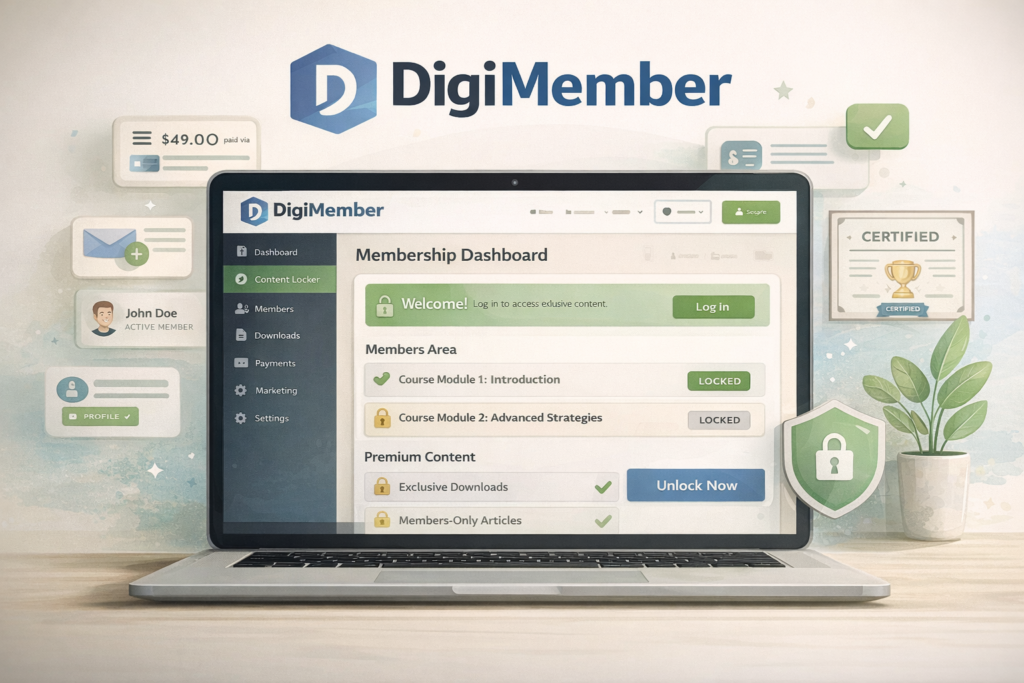
What Is DigiMember?
DigiMember is a WordPress membership plugin built for self-hosted WordPress websites. It is designed to turn regular WordPress pages into protected member areas, allowing site owners to manage free or paid memberships, restrict content, release content over time, and connect payment providers and email tools.
In simple terms, DigiMember is made for people who want to create a members-only area on WordPress without switching to a separate hosted platform. That makes it relevant for course creators, coaches, digital product sellers, niche publishers, and businesses that want to offer premium content, training, or protected downloads.
Unlike broader website tools, DigiMember is focused on membership functionality. That is actually a strength. Instead of trying to do everything, it concentrates on access control, member management, and structured content delivery.
Typical use cases include:
- paid membership sites
- online course areas
- premium content libraries
- protected download sections
- subscription-based training portals
- private customer resource centers
If you already use WordPress and want to monetize content or gate access to digital resources, DigiMember immediately becomes more relevant.
DigiMember Key Features
DigiMember’s value comes from how many membership-related tasks it can handle inside WordPress. Instead of relying on several disconnected plugins, it aims to give users a more centralized setup for protected content, payments, member access, and delivery logic.
Here is a quick summary of the most important features:
| Feature | What It Does | Why It Matters |
|---|---|---|
| Full content protection | Protects complete pages and posts from unauthorized access | Useful for paid membership areas and premium content |
| Partial content protection | Lets you protect selected sections of a page | Helpful for teaser content and upgrades |
| Sequential activation | Unlocks content daily, weekly, monthly, yearly, or on a custom schedule | Ideal for drip content and subscriptions |
| Unlimited products | Allows unlimited membership or download products | Useful for scaling different offers |
| Unlimited members | No fixed member cap is highlighted | Better for long-term growth |
| Payment monitoring | Checks incoming payments and can block access when payments fail | Reduces manual access management |
| Payment integrations | Supports payment providers and recurring billing workflows | Makes paid memberships easier to automate |
| Email integrations | Connects with several email marketing tools | Useful for onboarding and retention |
| Exams and certificates | Lets users take tests and earn certificates | Helpful for training or course-style sites |
| Protected downloads | Secures downloadable files and controls access duration or quantity | Good for eBooks, templates, and digital products |
| Temporary access | Grants access for a fixed time period | Useful for trials or time-limited products |
| Shortcodes | Lets users place forms and functions where needed | Gives more layout flexibility |
Content Protection
Content protection is the foundation of any membership plugin, and this is one of DigiMember’s strongest areas. It can protect entire pages, posts, and selected sections of content. That means you can show a public preview while locking the premium portion behind a member login or paid plan.
This is especially useful if you want to combine SEO visibility with monetization. For example, you might publish the introduction of a lesson publicly so it can rank in search engines, while keeping the rest of the tutorial available only to members. That setup can support both organic traffic growth and conversions.
It also gives you more flexibility with upsells. You can show different content based on what product a member has already purchased, which is a useful feature for people selling multiple training programs or membership levels.
Sequential Activation and Drip Content
One standout feature is sequential activation. This allows you to release content over time rather than giving members immediate access to everything at once. You can set content to unlock daily, weekly, monthly, yearly, or on a custom schedule.
This is important because drip content often improves retention. It can make a subscription feel more structured, reduce binge-and-cancel behavior, and help course creators guide members through a more logical learning path.
If your site includes lessons, modules, training sequences, or premium newsletters, this feature alone may be one of the biggest reasons to consider DigiMember.
Payments and Integrations
DigiMember also supports integration with multiple payment providers and email marketing systems. That matters because a membership plugin is much more useful when it can automatically grant access after payment, revoke access after failed billing, and sync subscribers to your email setup.
For WordPress site owners, that type of automation can reduce a lot of manual admin work. Instead of managing members one by one, the system can handle much of the repetitive access logic for you.
Exams, Certificates, and Secure Downloads
Another area where DigiMember stands out is its support for exams, certificates, and protected downloads. This makes it more versatile than a basic paywall plugin. You are not limited to locking blog posts. You can also build training portals, resource libraries, or digital product areas.
That opens up more use cases, such as:
- selling eBooks and templates
- delivering premium downloads
- running internal or external training programs
- offering structured member education
- giving certificates for completed coursework
DigiMember Pricing
DigiMember PRO is offered with both monthly and yearly billing, which gives buyers some flexibility. For many readers, pricing is where the buying decision becomes real, so this section matters a lot for conversions.
| Plan | Price | Billing Cycle |
|---|---|---|
| DigiMember PRO Monthly | $37 | Monthly |
| DigiMember PRO Yearly | $347 | Yearly |
At this level, DigiMember sits somewhere in the mid-range for WordPress membership solutions. It is not an ultra-cheap plugin, but it also is not positioned as a premium enterprise tool. Whether it feels expensive or reasonable depends on what you need.
If you only want to lock a few blog posts, it may be more than you need. But if you want a real membership setup with structured access, content release rules, secure downloads, and possible training functionality, the price becomes easier to justify.
DigiMember Pros and Cons
No review is complete without a balanced view. DigiMember has some strong advantages, but it also has limitations depending on the type of user.
| Pros | Why It Helps |
|---|---|
| Built specifically for WordPress membership sites | Focused feature set for a clear use case |
| Supports full and partial content protection | Flexible for premium content strategies |
| Includes drip content via sequential activation | Useful for subscriptions and training delivery |
| Supports unlimited products and members | Better scaling potential |
| Includes exams and certificates | Great for training-based businesses |
| Protected downloads are built in | Helpful for digital product delivery |
| Integrates with payment and email tools | Reduces manual admin work |
| Cons | Why It May Matter |
|---|---|
| Only works with self-hosted WordPress | Not suitable for non-WordPress users |
| Niche product category | Not as universal as broader website tools |
| May take setup effort | Beginners may need time to configure access rules and integrations |
| May be more than needed for simple paywalls | Smaller sites may not use all of its features |
The main limitation is simple: DigiMember is best for a specific type of user. That is not necessarily a flaw, but it does mean this is not the right fit for everyone.
Who Should Use DigiMember?
DigiMember is best suited to people who already know they want a WordPress-based membership or protected content system. This is not the type of product most casual bloggers will need, but it can be highly relevant for more focused business models.
It may be a good fit for:
- course creators
- coaches and consultants
- digital product sellers
- membership site owners
- publishers with premium content
- businesses offering private training resources
- site owners selling protected downloads
It may be less suitable for:
- people who do not use WordPress
- beginners who only want a simple paywall
- users who prefer hosted all-in-one course platforms
- bloggers without gated content or member access needs
This distinction matters a lot for affiliate content. If your article targets readers already searching for a WordPress membership plugin, your traffic will be much closer to buying intent. That is one reason a keyword like DigiMember review is smarter than trying to compete for a huge and broad keyword too early.
DigiMember vs Other WordPress Membership Plugins
DigiMember operates in a competitive category, but it has a clear positioning. It is not just a simple content locker, and it is not a general-purpose site builder either. It is strongest when used as a structured WordPress membership and protected content solution.
| Plugin Type | Best For | DigiMember Position |
|---|---|---|
| Basic paywall plugins | Simple content restriction | DigiMember offers more advanced control |
| Course-focused systems | Structured learning delivery | DigiMember is a solid option, especially with drip content and certificates |
| All-in-one membership plugins | Complete WordPress membership businesses | DigiMember fits well for this audience |
| Hosted course platforms | Users who do not want WordPress setup | DigiMember is less convenient for non-technical users |
In other words, DigiMember is not the easiest answer for every situation, but it can be a strong one for WordPress users who need more than basic content restriction.
Is DigiMember Easy to Use?
DigiMember presents itself as easy to install and quick to set up, and for users already familiar with WordPress plugins, that will probably feel true. The plugin also uses shortcodes for many functions, which can make placement flexible without requiring custom code.
Still, “easy” depends on your experience level. Membership systems always involve some planning, because you need to think about product structure, access rules, login experience, payment flows, and sometimes email automation.
So the most accurate way to say it is this: DigiMember looks easier than trying to build a custom membership setup from scratch, but complete beginners may still face a learning curve.
Is DigiMember Worth It?
For the right user, yes, DigiMember can absolutely be worth it.
If your goal is to run a WordPress membership site with protected content, structured content release, secure downloads, member management, and possibly even exams and certificates, then DigiMember offers a feature set that covers a lot of real needs.
On the other hand, if you are not using WordPress or you only need a very basic content lock, there may be simpler alternatives that fit better.
My honest view is this:
| Situation | Verdict |
|---|---|
| You want a serious WordPress membership setup | DigiMember is worth considering |
| You need drip content and structured delivery | DigiMember becomes more appealing |
| You sell digital downloads or training access | DigiMember is a strong fit |
| You only want a basic paywall | It may be more than you need |
| You do not use self-hosted WordPress | It is probably not the right tool |
Final Verdict
DigiMember is a focused WordPress membership plugin for people who want to build more than a simple members-only page. It supports protected content, timed content release, unlimited products, member management, payment handling, exams, certificates, and secure digital delivery.
That makes it a good option for creators and businesses that want a real membership or training setup inside WordPress. It will not be the perfect choice for every user, but for the right audience it is a serious tool worth considering.
If your readers are course creators, coaches, premium publishers, or WordPress users who want to monetize gated content, DigiMember is a relevant product to review and recommend.
Ready to Try DigiMember?
If you want to build a WordPress membership site with protected content, drip-fed lessons, secure downloads, and flexible access control, DigiMember is worth a closer look.
Check the latest features and pricing to see whether it matches your membership site goals.
About the Author
Xu Xun
Contact: xuxun1208@gmail.com
Last Updated: June 2026