
If you are searching for a serious antidetect browser rather than a basic multi-login tool, AdsPower is one of the most complete options to consider. It combines browser profile isolation, fingerprint customization, team collaboration, and built-in automation in one platform. That combination is why AdsPower has become a popular choice among affiliate marketers, agencies, e-commerce operators, and teams that manage multiple online identities.
In simple terms, AdsPower is designed to help users create separate browser environments that look and behave like different real devices. Instead of juggling logins in a normal browser and risking messy account overlap, users can manage independent profiles with their own browser fingerprints, proxies, cookies, and settings. For teams, that becomes even more useful because AdsPower also includes profile sharing, permission controls, and workflow automation.
The short verdict is this: AdsPower is not the right tool for everyone, but it can be an excellent fit if your work depends on organized multi-account management, profile isolation, and repeatable browser-based workflows. If your needs are simple, it may be more tool than you actually need. If your workflow is growing, however, AdsPower can save time, reduce operational chaos, and make multi-account work far more manageable.
Quick Answer: What Is AdsPower Best For?
AdsPower is best for users who need isolated browser profiles, custom browser fingerprints, team collaboration, and automation in one platform. It is especially relevant for agencies, affiliate marketers, ad operators, e-commerce sellers, and anyone who manages multiple accounts across platforms and wants a more organized setup than standard browser profiles can provide.
| Category | Verdict |
|---|---|
| Best for | Agencies, affiliate marketers, e-commerce operators, social media teams, and advanced multi-account users |
| Main strength | Profile isolation plus built-in automation and team collaboration |
| Browser choices | Chromium-based and Firefox-based stealth browsers |
| Free access | Free plan available for testing |
| Ideal buyer | Anyone who has outgrown normal browser profiles and manual account switching |
| Potential drawback | May feel excessive for very simple or casual use cases |
What Is AdsPower?
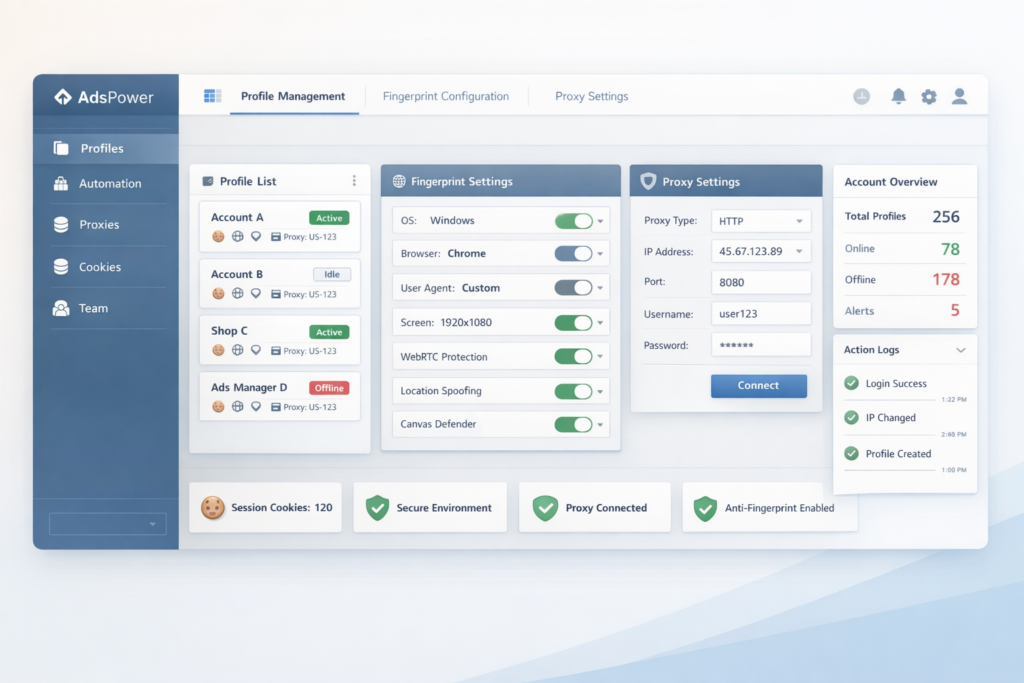
AdsPower is an antidetect browser built for secure multi-account management. Its core idea is straightforward: instead of opening multiple accounts in one standard browser setup, users create separate browser profiles that behave like different browser environments. Each profile can keep its own settings, cookies, proxy configuration, and browser fingerprint characteristics, which helps organize account operations more cleanly and consistently.
This matters because a standard browser is usually built for convenience, not for operational separation. Once your workflow involves multiple client accounts, multiple ad accounts, multiple stores, or multiple team members, a normal browser setup starts to become hard to manage. AdsPower is designed to solve that problem by giving each browser profile its own isolated environment while also making it easier to share access, automate actions, and scale daily operations.
Another important point is that AdsPower is not only trying to be a browser profile manager. It also positions itself as an operational platform. That is why features like Synchronizer, RPA, Local API, profile sharing, and permission controls matter so much in this review. These are the features that move AdsPower beyond basic multi-login convenience and into a more serious workflow tool.
Who Should Use AdsPower?
Not every user needs an antidetect browser, and that is worth saying clearly. AdsPower is most valuable when browser environment separation is part of your daily work rather than a rare edge case. If you only use one or two personal accounts and do not need shared team access or workflow automation, a normal browser may be enough.
| User Type | Is AdsPower a Good Fit? | Why |
|---|---|---|
| Solo casual users | Usually no | A standard browser may already be enough |
| Affiliate marketers | Yes | Profile separation and repeatable workflows matter |
| Agencies | Yes | Permissions, profile sharing, and team structure are useful |
| E-commerce operators | Yes | Multiple storefront or account environments benefit from isolation |
| Social media teams | Yes | Managing multiple client or brand accounts becomes more organized |
| Technical teams | Yes | Local API and automation open up more advanced workflows |
If your business regularly handles multiple accounts, multiple clients, or multiple operators, AdsPower starts to make a lot more sense. It is especially attractive when your workflow depends on keeping environments separated, assigning role-based access, or reducing repetitive manual browser work.
Key Features That Make AdsPower Stand Out
1. Browser fingerprint customization
One of AdsPower’s core selling points is browser fingerprint management. Instead of relying only on simple profile switching, AdsPower is built around the idea that each browser profile should behave like a separate browser environment. This is a major reason why it is often discussed as an antidetect browser rather than just a profile manager.
For businesses that care about clean environment separation, this feature is the foundation of the product. It also helps explain why AdsPower appeals more to serious operators than to casual users. When profile-level browser control becomes important, the product starts to feel less like a utility and more like infrastructure.
2. Two browser options instead of one
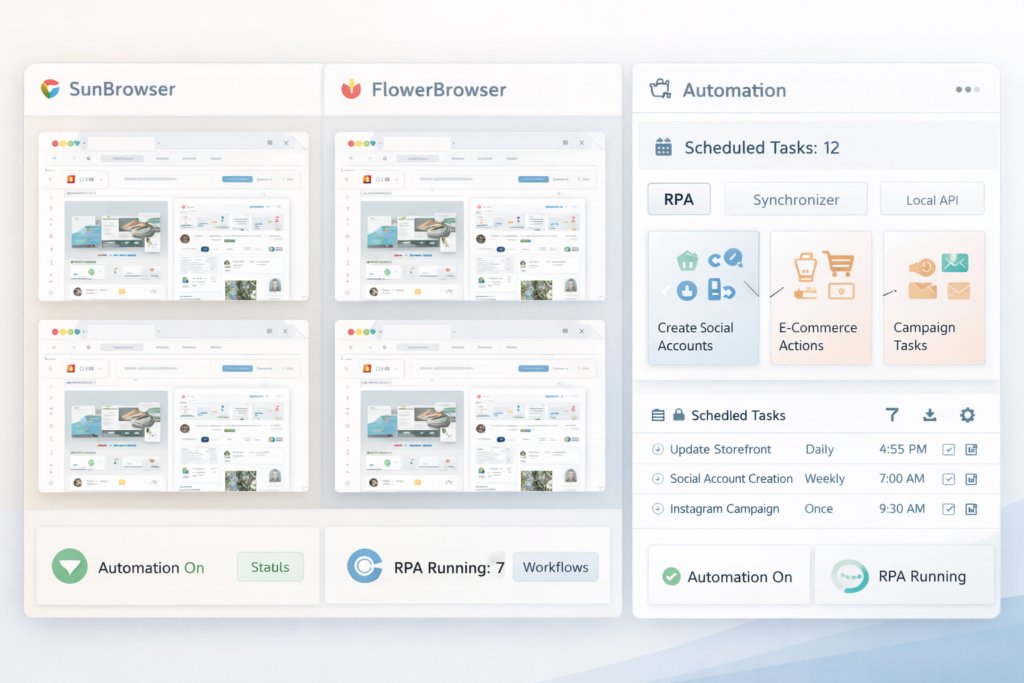
AdsPower offers two stealth browser families: a Chromium-based browser and a Firefox-based browser. This gives users more flexibility than tools that depend on only one browser core. In practice, that matters because some workflows, sites, or user preferences fit better with Chromium-style browsing, while others may prefer Firefox-based environments.
Having both options also makes the platform feel more adaptable. If you are building long-term workflows, it is useful to know that you are not locked into a single browser style from day one.
3. Built-in automation
Automation is where AdsPower becomes much more interesting than a simple browser isolation tool. The platform includes Synchronizer for mirrored actions, RPA for repeatable workflow automation, and Local API for more technical or programmatic use cases. This matters because not every user has the same level of technical ability.
Beginners can start with easier automation concepts, while more advanced users can build more customized workflows through API access. That makes AdsPower easier to grow with over time. You do not have to unlock every advanced feature on day one, but it is useful to know the platform has room to scale with your workflow.
4. Team collaboration and permissions
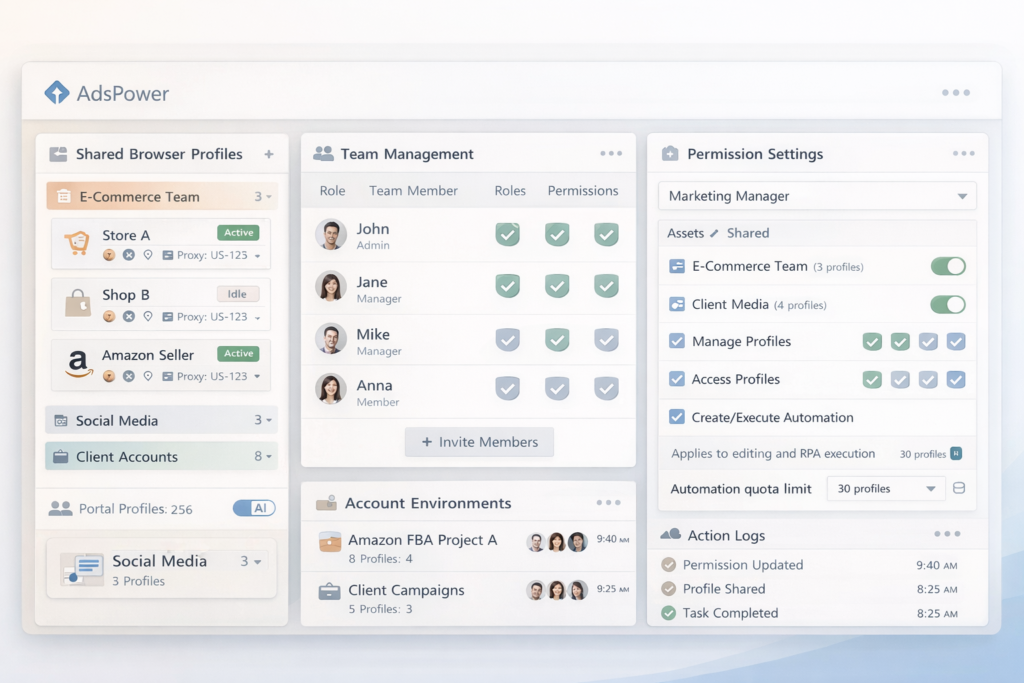
Many multi-account tools work reasonably well for solo users but become messy when several people need access. AdsPower addresses that by supporting team collaboration features such as profile sharing and member permissions. This is particularly helpful for agencies, internal teams, and operations where assistants or team members need access without having unlimited control over everything.
That operational structure is a big advantage for businesses. Instead of passing login details around manually, teams can work in a more controlled environment with defined access.
5. Better scaling for growing workflows
AdsPower is clearly designed for users who may need more profiles over time. That is visible in both its plan structure and its overall product messaging. Rather than treating scale as an afterthought, the platform builds profile growth, team growth, and workflow growth into the product from the beginning. That makes it easier to start small and expand later without rebuilding your whole system.
AdsPower Pricing
AdsPower uses a flexible pricing structure rather than a single fixed monthly price for everyone. That is important because the total cost depends on the number of profiles, the number of members, and the billing cycle you choose. For that reason, the smartest way to present pricing in a blog post is with a clearly editable table, especially if you want to keep the article accurate over time.
The safest takeaway is this: AdsPower offers a free entry point, a trial period, and multiple paid tiers that scale as your needs grow. That makes it easier to test the platform first and only move up when your workflow justifies it.
| Plan | What We Can Safely Confirm | Who It Fits Best |
|---|---|---|
| Free | Includes 2 profiles and is designed for getting started | New users who want to test the platform |
| Professional | Paid tier for smaller-scale use; profile count depends on selected package | Solo users and small teams |
| Business | Paid tier for larger or growing teams; profile count is customizable | Teams that need more profiles and team members |
| Enterprise | Custom pricing and higher-scale support | Large organizations with advanced needs |
| Pricing Detail | Fill Before Publishing |
|---|---|
| Professional starting price | [Insert live price from official AdsPower pricing page] |
| Business starting price | [Insert live price from official AdsPower pricing page] |
| Annual discount wording | [Insert current official discount wording if visible] |
| Extra member cost | $5 per member |
| Trial note | 7-day free trial |
| Free plan note | 2 free profiles |
That pricing structure can actually be a strength. Instead of forcing every user into one flat plan, AdsPower lets smaller users start lean while giving larger teams room to scale. The downside is that dynamic pricing is less immediately transparent than a simple fixed-price SaaS subscription. For some readers, that flexibility is a plus. For others, it means they will want to check the official pricing page before making a decision.
Pros and Cons of AdsPower
| Pros | Cons |
|---|---|
| Free starting point makes testing easier | Exact total pricing depends on configuration |
| Combines browser isolation, team access, and automation | Can be more than casual users actually need |
| Offers both Chromium-based and Firefox-based browser choices | Some features require a learning curve |
| Works for both solo operators and larger teams | You still need to understand your own workflow needs |
| Provides room to scale into advanced workflows | Advanced automation is more useful to power users than beginners |
The biggest advantage of AdsPower is that it does not stop at browser profile isolation. It adds collaboration and automation layers that make the product more practical for real business workflows. The biggest limitation is that many casual users will never use those advanced layers, which can make the platform feel larger and more complex than they need.
Is AdsPower Beginner-Friendly?
AdsPower is more beginner-friendly than some people assume, mainly because it offers a free plan and a trial path instead of forcing new users to commit immediately. That makes it easier to explore the platform before deciding whether it belongs in your workflow.
Still, beginner-friendly does not mean effortless. Users who are completely new to browser fingerprints, proxies, or multi-account workflow design will need time to understand the platform. The good news is that AdsPower gives users a path to start small. The more advanced parts, especially automation and API-related workflows, can come later.
AdsPower for Agencies, Affiliate Marketers, and E-Commerce Teams
AdsPower is especially appealing to businesses that work across multiple accounts, clients, brands, or operators. Agencies can benefit from permission controls and profile sharing. Affiliate marketers can benefit from cleaner account separation and more repeatable workflows. E-commerce teams can use it to keep environments organized across different tasks and team members. These are the kinds of users most likely to feel the real value of the product.
Another reason AdsPower fits these groups well is that they often do not just need a browser. They need an operational system. A platform that combines isolated profiles, team access, and automation can remove a surprising amount of daily friction once workflows start to grow.
AdsPower vs a Regular Browser
A regular browser is fine for normal browsing, personal logins, and simple account use. It is built for convenience. AdsPower is built for structured browser environment separation. That difference matters more as workflows become more complex.
| Feature | Regular Browser | AdsPower |
|---|---|---|
| Basic browsing | Yes | Yes |
| Multiple independent browser environments | Limited | Yes |
| Advanced fingerprint control | No | Yes |
| Team permissions | No | Yes |
| Profile sharing | No | Yes |
| Built-in workflow automation | No | Yes |
For casual users, a regular browser is usually enough. For people who need browser environments to be organized, isolated, and more scalable, AdsPower is operating in a different category.
What I Like Most About AdsPower
The strongest part of AdsPower is that it brings several workflow layers together in one place. Instead of forcing users to stitch together one tool for browser isolation, another for team management, and another for automation, AdsPower tries to cover all three areas. That unified approach can save time and reduce tool sprawl for teams that would otherwise patch together multiple services.
I also like that the platform gives users room to grow. Someone can start by testing isolated profiles, then move into team collaboration, and later expand into more advanced automation if needed. That progression makes the product feel more practical as a long-term tool rather than a one-feature utility.
What to Consider Before You Buy
Before paying for AdsPower, be honest about how much complexity your workflow actually has. If you are not managing multiple accounts in a structured way, and if you do not need collaboration or automation, you may not get full value from the product. On the other hand, if your workflow is already becoming messy, manual, and hard to scale, AdsPower may be exactly the kind of tool that helps you regain control.
It is also smart to review the live pricing page before publishing or buying because the exact cost can vary depending on profiles, members, and billing cycle. That is why this article uses editable pricing placeholders instead of forcing unstable numbers into the post.
One final point: use tools like this responsibly and in ways that comply with the rules of the platforms you work with and the laws in your region. Any browser management tool is only as sustainable as the workflow and compliance habits behind it.
Final Verdict: Is AdsPower Worth It?
Yes, AdsPower is worth considering if your workflow genuinely depends on multi-account management, browser profile isolation, team permissions, or browser-based automation. Its strongest value is not one single feature. It is the fact that multiple operational features live together in one platform.
If you only need a lightweight browser profile tool, AdsPower may feel like overkill. But if you want a more complete system for organized multi-account work, it makes a strong case. The smartest approach is to begin with the free option, test it on a real workflow, and only scale up once you know the platform is solving a real operational problem for you.
👉 If your current setup is getting messy, manual, or difficult to scale, try AdsPower and see whether its profile isolation, team features, and automation tools can give your workflow a cleaner structure.
FAQ
Is AdsPower free?
AdsPower offers a free plan, which makes it easier for new users to explore the platform before paying for a larger setup.
How many free profiles does AdsPower include?
The official pricing page states that AdsPower includes 2 free profiles for starters.
Does AdsPower offer a free trial?
Yes. AdsPower states that it offers a 7-day free trial so users can explore the platform before upgrading.
What browsers does AdsPower use?
AdsPower offers both a Chromium-based browser and a Firefox-based browser, which gives users more flexibility for different workflows.
Does AdsPower support automation?
Yes. AdsPower includes built-in automation tools such as Synchronizer, RPA, and Local API, making it more than just a basic multi-login browser.
Is AdsPower good for agencies?
Yes, especially for agencies that need profile sharing, team permissions, and a cleaner way to manage multiple account environments across team members.
Is AdsPower worth it for beginners?
It can be, especially if you want to learn with the free plan first. But the product becomes much more valuable once your workflow grows beyond simple browsing and basic account management.
About the Author
Xu Xun
Contact: xuxun1208@gmail.com
Last Updated: June 2026