
If you have ever lost family photos, project files, downloaded documents, or important personal folders, you already know the real problem with backups: most people do not skip backups because they hate safety. They skip them because many backup tools feel too technical, too time-consuming, or too easy to postpone. That is exactly where Abelssoft Easy Backup tries to win. Instead of overwhelming users with a complicated setup, it focuses on one clear promise: make backing up important files on Windows simple enough that ordinary people will actually keep doing it.
In this Abelssoft Easy Backup review, I will look at what the software does, what kind of user it is best for, how it handles automatic backup and restore, what the trial version includes, and whether it is a smart buy if your main goal is protecting personal data without learning a complex backup system.
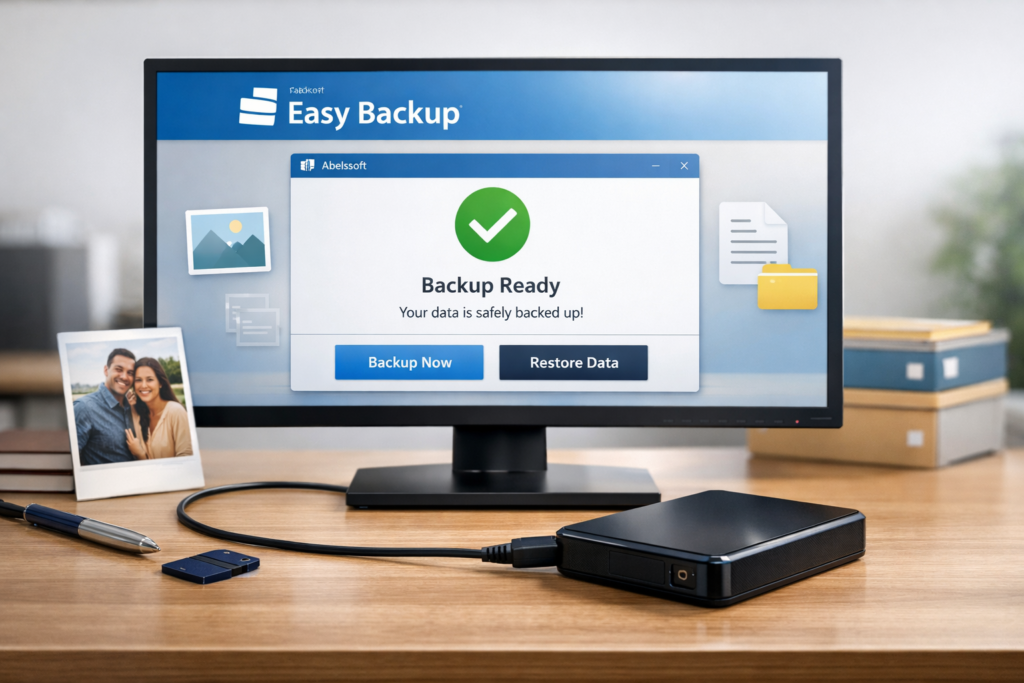
👉 Ready to protect your files before the next hard drive issue, accidental deletion, or ransomware scare? Check the latest Easy Backup offer here.
Quick Verdict
| Product | Abelssoft Easy Backup |
| Main purpose | Simple local backup for Windows users who want an easy routine for protecting personal files |
| Best for | Beginners, families, casual users, freelancers, and anyone who prefers external-drive or USB-based backups |
| Core strength | Automatic backup after initial setup with a very low learning curve |
| Trial | 30-day trial version |
| Supported systems | Windows 11, Windows 10, Windows 8.1, Windows 8 |
| Full version highlights | Ad-free use, email support, and 6 months of updates/new versions |
| Bottom line | A strong choice for people who want practical, low-friction file backup rather than a complex enterprise backup suite |
The short version is simple: Easy Backup is not trying to be everything for everyone. It is built for people who want a backup tool that feels approachable, fast to understand, and realistic to keep using. That matters more than many buyers realize. A backup solution only protects your files if you continue to use it, and software that removes friction can be more valuable than software with endless advanced settings that most home users never touch.
What Is Abelssoft Easy Backup?
Abelssoft Easy Backup is a Windows backup utility designed to protect important files such as documents, photos, music, and other personal data by making the backup process as simple as possible. The product positioning is very clear: this is software for users who want peace of mind without dealing with complicated backup workflows, confusing menus, or heavy technical setup.
That positioning is one of the biggest reasons the software is interesting. Many people do not need a fully advanced backup ecosystem with enterprise scheduling, remote consoles, and extensive administrative controls. They need something that helps them create reliable copies of their files and encourages them to keep the habit going. Easy Backup aims directly at that everyday use case.
| What Easy Backup is | What Easy Backup is not primarily trying to be |
|---|---|
| A simple backup tool for Windows | A full enterprise disaster recovery platform |
| A beginner-friendly option | A highly technical server management suite |
| A practical local backup solution | A cloud-first all-in-one infrastructure product |
| A routine-building backup app | An overly complex power-user tool with a steep learning curve |
This distinction is important for SEO and for actual buyers. Plenty of readers search for “best backup software” when what they really mean is “I want something simple that keeps my files safe.” Easy Backup fits that second search intent especially well.
Key Features That Make Easy Backup Stand Out
The feature list is focused rather than bloated. That is a positive for the right audience because it keeps the software aligned with the users most likely to buy it.
| Feature | Why it matters |
|---|---|
| Easy to use | Reduces the learning curve for beginners and non-technical users |
| Automatic backup | Future backups can run once the storage medium is connected after setup |
| Restore anytime | Restoring backed-up files is presented as a straightforward process |
| Reminder function | Helps keep backups current instead of letting them become outdated |
| Versatile file selection | Lets you back up selected folders like pictures or documents, or broader data sets |
| External drive / USB workflow | Fits people who prefer having a local backup copy under their control |
| Security-oriented design | The product emphasizes a procedure intended to help protect backup media from ransomware exposure |
| Expert Mode mention | Suggests there is some extra control available for users who want more than the bare minimum |
What I like about this set of features is that each one solves a real buyer problem. People want backups because they are worried about data loss, but they often avoid backup software if it feels inconvenient. Easy Backup addresses that by reducing manual effort and turning backup into a repeatable routine rather than a technical project.
How Easy Backup Works in Real Life
For most users, software is only “easy” if the day-to-day routine remains easy after installation. Easy Backup appears to understand that. The workflow is centered on choosing what to protect, selecting the backup medium, and then allowing future backups to happen automatically when that medium is connected.
| Step | What happens |
|---|---|
| 1 | Choose the folders or files you want to protect |
| 2 | Select an external storage medium such as a hard drive or USB stick |
| 3 | Run the initial backup setup |
| 4 | Connect the storage medium later to trigger future automatic backups |
| 5 | Restore files when needed through the restore function |
That may sound simple, but simplicity is exactly the product advantage here. In a household setting, a backup tool often succeeds or fails based on whether a normal user can understand it in minutes. Easy Backup is trying to remove the usual excuses: “I forgot,” “I don’t know how,” and “I’ll set it up later.”
Another useful detail is the reminder function. Backups lose value when they are months out of date. A reminder system helps bridge the gap between good intentions and real protection, especially for users who do not think about backup strategy until after something goes wrong.
Why Simple Backup Software Still Matters in 2026
It is easy to assume that because cloud storage exists, local backup software is no longer important. In reality, many users still benefit from having a separate local copy of their important files, especially for fast recovery, privacy control, and protection against accidental deletion, device issues, or ransomware-related disruption. Acronis reported that 65.1% of surveyed consumers said they or a family member had experienced data loss in its 2019 World Backup Day survey, and a later 2020 survey summary said 68% of individuals still lost data due to deletion, hardware or software failure, or out-of-date backups. That broader context helps explain why easy, consistent backup habits still matter so much.
Easy Backup fits into that reality by lowering the barrier to action. It is not selling a fantasy where technology eliminates human forgetfulness. It is trying to create a routine that people can stick with. That is often the most practical form of data protection for ordinary users.
Pricing, Trial Version, and Full Version Benefits
Pricing display can vary depending on page rendering and currency settings, but the product page and search preview both show the software at 29.95 in the current listing context. More importantly, the structure of the offer is clear: there is a 30-day trial version, while the paid version removes ads, includes first-class email support, and comes with six months of free updates and new versions.
| Offer element | What you get |
|---|---|
| Trial version | 30 days usable |
| Trial limitation | Purchase dialog appears at startup |
| Full version advantage | Advertising-free use |
| Full version advantage | Human email support |
| Full version advantage | 6 months of updates and new versions |
| System support | Windows 11, 10, 8.1, and 8 |
For the right customer, the value proposition is easy to understand. The cost of losing personal files is often far higher than the cost of a lightweight backup utility. If the software helps you avoid losing years of family photos, important records, or work documents, it can justify itself quickly.
Pros and Cons
| Pros | Cons |
|---|---|
| Very beginner-friendly | Not positioned as a deep enterprise backup suite |
| Automatic backup after setup | Best fit appears to be local storage rather than cloud-first infrastructure |
| Clear restore workflow | May feel too simple for advanced power users who want very granular controls |
| Works with external drives and USB media | Not ideal for buyers specifically seeking multi-user business backup management |
| Reminder function supports consistency | Less appealing if you want a highly complex feature set for specialized environments |
| Low-friction routine for everyday use | Mac support is not part of this product page’s supported-system list |
The most important takeaway from this table is that Easy Backup should be judged by product fit, not by raw feature volume. A simple backup tool can be the better choice if it matches the user’s real needs more closely than a bigger, more complicated alternative.
Is Easy Backup Safe?
Safety is one of the most important questions in any backup review. Easy Backup’s official FAQ emphasizes a special procedure intended to make backup creation secure and specifically says the backup is protected against ransomware attacks. The FAQ also explains the product’s ransomware-protection logic in more concrete terms: after a successful backup, the connection between the PC and the storage medium is physically disconnected, so the backup copy is no longer connected to the computer during a later ransomware event.
That is a sensible design idea for local backup protection. If the backup medium is not connected, it is much harder for a PC-side ransomware event to touch that copy. Still, readers should interpret this as an important protection method, not as a magic guarantee against every possible data-loss scenario. Good backup habits still matter, including checking that backups complete successfully and keeping especially critical files in more than one place when possible.
Who Should Buy Abelssoft Easy Backup?
| This software is a good fit if you… | You may want something else if you… |
|---|---|
| Use Windows and want a simple backup routine | Need enterprise-level backup administration |
| Prefer using an external drive or USB stick | Want a cloud-first product with broader remote workflows |
| Do not want to learn a complicated system | Need advanced backup policy management across many machines |
| Want to protect photos, documents, music, and personal folders | Are specifically shopping for a highly technical IT tool |
| Tend to forget manual backups | Need a platform built around complex business continuity processes |
| Want something family members can also understand | Prefer feature depth over simplicity and convenience |
In other words, Easy Backup is strongest when the buyer wants peace of mind, not a hobby project in backup engineering. That is a much larger market than many software reviews acknowledge.
Easy Backup vs More Complex Backup Tools
Many readers compare every backup tool against the most advanced software they can find. That is not always the right comparison. The better question is whether the tool matches the complexity of your actual needs.
| Backup approach | Best for | Main trade-off |
|---|---|---|
| Simple local backup tool like Easy Backup | Individuals, households, and non-technical users | Less depth than enterprise-oriented solutions |
| Advanced backup suite | Power users, IT admins, and complex environments | More setup, more complexity, more learning time |
| Cloud-first backup service | Users wanting off-site access and cloud workflows | Usually ongoing subscriptions and more dependence on internet/cloud systems |
For many buyers, the honest answer is that a simpler product they actually use is better than a more powerful product they keep postponing. Easy Backup seems built around that reality.
What the Trial and Product Positioning Tell Us About the Ideal Buyer
The existence of a 30-day trial makes Easy Backup easier to evaluate because users can test whether the workflow really feels as simple as the product page suggests. That is especially useful for cautious buyers who want proof that the software fits their habits before paying for the full version.
The overall product messaging also points to a specific kind of customer: someone who values convenience, fast setup, peace of mind, and a routine based on external storage. This is the kind of software that makes sense for a personal laptop, a family PC, or a small home-office environment where usability matters as much as protection.
Frequently Asked Questions
Is Abelssoft Easy Backup good for beginners?
Yes. This is one of the clearest strengths of the software. Easy Backup is built for users who want backup protection without dealing with a complicated setup process.
Can Easy Backup restore files easily?
Yes. The official product information highlights a straightforward restore process, and the FAQ explains that users can restore data by opening Easy Backup, clicking Restore Backup, and connecting the storage medium that contains the backup.
Does Easy Backup work with external drives and USB sticks?
Yes. The product page repeatedly frames the workflow around connecting a storage medium such as an external disk or USB stick for backup.
Does Easy Backup protect against ransomware?
The product says it uses a special procedure and describes a workflow where the connection to the backup medium is physically disconnected after a successful backup, which is intended to help protect the backup copy if ransomware later affects the PC.
Is there a free trial?
There is a trial version that can be used for 30 days. The listed limitation is that a purchase dialog appears at startup.
What operating systems does Easy Backup support?
The official product page lists Windows 11, Windows 10, Windows 8.1, and Windows 8.
Final Verdict: Is Abelssoft Easy Backup Worth It?
If you are looking for the most advanced backup platform on the market, Abelssoft Easy Backup is probably not trying to win that comparison. But if you are looking for a simple, practical, and low-stress way to protect your files on Windows, it makes a strong case for itself.
Its biggest advantage is not just that it offers backup. Plenty of software offers backup. Its advantage is that it makes the process feel manageable for normal users. Easy Backup is clearly designed around convenience, repeatability, and everyday peace of mind. It supports common Windows systems, offers a 30-day trial, includes restore functionality, uses reminders to help users stay current, and frames its security approach around keeping the backup medium disconnected after successful backup.
For home users, families, freelancers, and anyone who wants to protect important personal files without spending hours learning a complicated solution, that is a very attractive package. If that sounds like what you need, Easy Backup is absolutely worth a closer look.
About the Author
Xu Xun
Contact: xuxun1208@gmail.com
Last Updated: June 2026